
UI/UX Design for Growth in Manufacturing
Discover how UI/UX design best practices can streamline manufacturing operations, empower workers, and drive measurable business growth.

Quick Answer
UI/UX design for manufacturing goes far beyond “prettier screens.” Done well, it reduces cognitive load for operators, speeds up decisions, prevents errors, and exposes real-time insights to leaders and customers. This guide shows how to redesign HMIs, production dashboards, B2B portals, and IIoT apps around user journeys and context of use, then link those improvements to KPIs like throughput, downtime, and first-pass yield.
Coverage signals
15 min
May 27, 2026
VarenyaZ Editorial Desk, Technical Content Review
Updated May 27, 2026
Key Takeaways
- UI/UX design for manufacturing should be measured against hard KPIs such as throughput, downtime, and defect rates.
- Operator interfaces must minimize cognitive load with clear hierarchy, consistent patterns, and context-aware alerts.
- Production dashboards work best when they prioritize a few actionable metrics instead of dense data walls.
- B2B customer portals are now a primary touchpoint and should match consumer-grade usability standards.
- IIoT and analytics tools should surface only the right data in the right moment for each role on the factory floor.
- UX governance, design systems, and accessibility help create consistent, safe, and future-ready industrial interfaces.
- Integrating AI into manufacturing UX requires explainability, override controls, and careful alert fatigue management.
- Partnering with a product-focused team like VarenyaZ accelerates UX-led digital transformation in manufacturing.
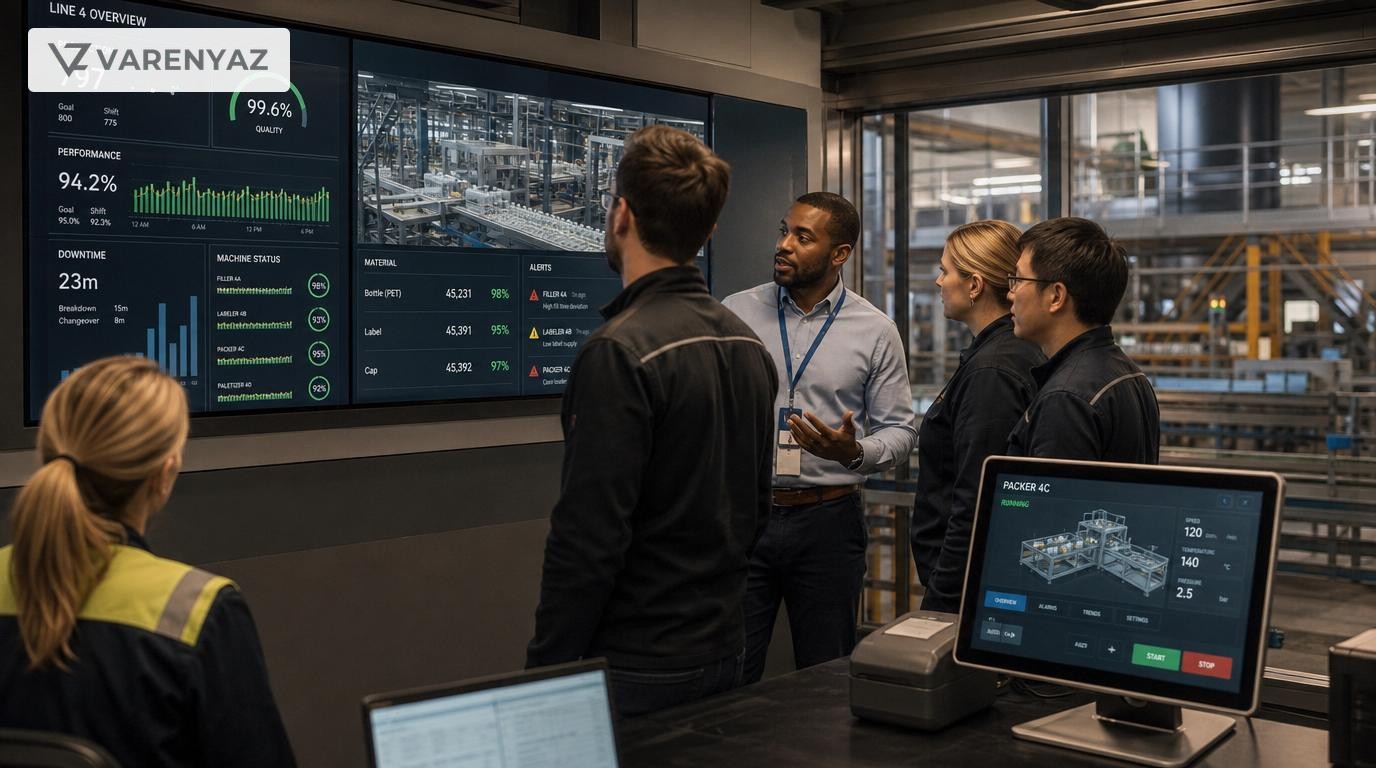
UI/UX Design Best Practices as a Catalyst for Growth in Manufacturing
Why UI/UX Suddenly Matters So Much in Manufacturing
If you walk into most factories today, the biggest bottleneck is no longer the machine. It’s the interface.
Operators stare at dense HMI screens. Supervisors wade through overloaded dashboards. Customers fight through clunky B2B portals just to place or track an order. The technology exists, but the experience slows everyone down.
This is where UI/UX design for manufacturing becomes a growth lever instead of a cosmetic upgrade. When digital tools are designed around the way people actually work, factories unlock faster decisions, fewer errors, safer environments, and smoother customer relationships.
Manufacturers are already on the journey toward Industry 4.0, IIoT, and lights-out factories. But without human-centered design, those investments underperform. Standards like ISO 9241-210 explicitly promote human-centred design for interactive systems, underlining that usability and user experience are strategic, not optional.
Direct Answer: How UI/UX Drives Manufacturing Growth
UI/UX design drives growth in manufacturing by reducing operator errors, accelerating decisions, improving safety, and simplifying customer interactions. This is achieved through human-centered design of operator interfaces, production dashboards, maintenance tools, and B2B portals, aligned with clear KPIs like throughput, downtime, first-pass yield, on-time delivery, and customer satisfaction.
From Cosmetic to Strategic: The Business Case for Manufacturing UX
For manufacturing leaders, the key question is simple: how does better UI/UX show up on the P&L and balance sheet?
When done well, UI/UX changes translate into hard numbers across four dimensions:
- Operational efficiency — Faster task completion, fewer mis-clicks, shorter training times, and more predictable output.
- Quality and yield — Clearer input forms, checklists, and workflows reduce data entry mistakes and process deviations.
- Safety and compliance — Safer interfaces and clearer warnings reduce incidents and support frameworks like ISO 45001 for occupational health and safety.
- Customer experience — Easier ordering, tracking, and collaboration help win and retain strategic accounts.
Think of UI/UX as the “friction budget” in your digital workflows. Every extra field, confusing icon, or noisy dashboard consumes attention. In a high-stakes plant environment, that friction becomes lost throughput and higher risk.
Key UX Concepts Translated for Factory Floors
Manufacturing environments are unique: high noise, time pressure, safety constraints, and shift-based teams. But core UX principles still apply, simply tailored to the shop floor.
- Human-centred design — ISO 9241-210 describes iterative design grounded in users’ context and tasks. In factories, that means field observations, shadowing operators, and testing prototypes during real shifts.
- Cognitive load management — Show only what matters right now for that role: the current job, current machine, and current risk.
- Consistency — Same symbols, colours, patterns, and navigation across HMIs, dashboards, and mobile tools, so operators don’t have to “re-learn” every station.
- Feedback and visibility — Every action should give clear feedback: “Did the command apply? Has the state actually changed?”
- Accessibility and inclusivity — Consider varied language fluency, colour vision, and experience levels, especially in large workforces across multiple regions.
Designing Operator Interfaces That Reduce Errors
Operator HMIs and line interfaces often accumulate features over years. The result is dense, legacy-looking screens where even experienced staff rely on memory instead of clarity.
Best practices for operator interface UX include:
1. Prioritise information hierarchy
Rank information into three tiers:
- Critical: Safety alerts, machine faults, emergency states — always prominent, with clear colour and icon conventions.
- Operational: Current job, target vs actual, key parameters — visible at a glance from a distance.
- Contextual: Historical trends, advanced settings — accessible, but not always on screen.
Design screens so an operator can answer three questions in under three seconds:
- “Is everything safe?”
- “Is the machine on target?”
- “If not, what needs my attention?”
2. Use clear, consistent visual language
In high-noise environments, visuals carry more weight than text.
- Standardise colours: for example, red for critical fault, amber for warning, green for normal, blue for information.
- Pair icons with labels — don’t assume everyone interprets icons the same way.
- Reserve animation for changes of state (e.g., a fault appearing) so it grabs attention where it matters.
3. Design for gloves, distance, and motion
Factory interfaces are not used in quiet office chairs.
- Use larger hit areas for touch — buttons that work with gloves and slight inaccuracy.
- Ensure readability from 2–3 meters away for key metrics and statuses.
- Limit multi-step workflows while standing; group actions into fewer screens where safe.
4. Support safety through interface design
Safety isn’t just about hardware guards and PPE. Interface choices can either reinforce or undermine safe behaviours.
- Use clear confirmation patterns for dangerous actions, not hidden checkboxes.
- Separate routine controls from emergency functions visually and spatially.
- Align with occupational health and safety management practices such as those outlined in ISO 45001 by making critical safety information unambiguous and always accessible.
Production Dashboards: From Data Walls to Decision Tools
Factories drowning in data do not automatically make better decisions. The UX challenge is turning IIoT streams and MES data into dashboards that support fast, confident actions.
1. Start with decisions, not data
For each dashboard, ask: “What decision is this for? Who is making it? How often?” Then design backwards.
- Shift supervisor dashboards: status of lines, current issues, staffing, priority orders.
- Plant manager dashboards: daily output, OEE, bottlenecks, quality hotspots.
- Executive dashboards: service levels, margin impact, strategic projects.
Each role should see different levels of granularity, not the same complex view.
2. Limit primary metrics per screen
As a rule of thumb, 3–5 primary KPIs per main view is plenty for humans to monitor reliably. Everything else can be tucked into drill-down views.
- Show trends and comparisons (vs target, vs last shift) instead of single numbers in isolation.
- Highlight exceptions automatically: lines or SKUs that deviate beyond defined thresholds.
- Use visual cues like sparklines, traffic lights, and simple trend arrows for quick scanning.
3. Design for large screens and mobile
Manufacturing dashboards often live on large wall displays as well as tablets and laptops.
- For large screens: ensure critical information is readable at distance; avoid dense tables.
- For mobile: prioritise alert lists, quick filters, and single-tap access to affected assets.
- Maintain consistent visual language so users can “shift” seamlessly between devices.
4. Make drill-downs intuitive
When a problem surfaces, supervisors must quickly drill from overview to root cause.
- Enable click-through from plant view → line → machine → event history.
- Show relevant context: recent maintenance, parameter changes, and similar past incidents.
- Offer recommended actions or playbooks inline where possible.
B2B Portals: Your New Customer-facing Factory Floor
For many customers, your portal is the only “factory tour” they ever see. They judge your reliability and sophistication based on how easy it is to configure, order, and track products online.
1. Treat B2B users like B2C users (with extra complexity)
B2B buyers now expect consumer-grade experiences:
- Simple, self-service account creation and access.
- Clear visibility of pricing, lead times, and order status.
- Fast search, filters, and repeat ordering.
Overlay manufacturing-specific needs such as complex configurations, approval workflows, and integration with ERP and production schedules.
2. Simplify complex configurations
Configurable products often lead to overwhelming forms.
- Use guided configuration wizards that reveal options step-by-step.
- Show valid combinations and prevent impossible choices through smart rules.
- Surface real-time implications: price changes, delivery date ranges, and minimum order quantities.
3. Make status and communication effortless
Your portal should reduce emails and calls, not add to them.
- Provide self-service tracking with clear milestones: order received, scheduled, in production, shipped, delivered.
- Enable context-aware messaging: customers can ask questions tied to a specific order or line item.
- Offer downloadable documentation and compliance certificates per order.
4. Bridge portal UX with internal tools
A great portal that your internal teams hate will fail. Align UX for both sides:
- Ensure customer-facing promises (dates, options) match internal realities and capacity.
- Give sales and customer service clear, consolidated views of customer activity.
- Automate handovers from portal to production planning to avoid manual re-entry errors.
IIoT, AI, and Decision Support: UX for the Software-defined Factory
As manufacturers adopt advanced analytics, AI, and IIoT, the UX problem shifts from “we don’t have data” to “we don’t know what to do with all this data.”
1. Design anomaly and alert experiences, not just algorithms
AI models can detect anomalies and predict failures, but that insight must reach the right person, at the right time, in the right way.
- Classify alerts by severity and impact — not all anomalies deserve the same display treatment.
- Provide plain-language explanations: what changed, why it matters, and suggested actions.
- Enable follow-up workflows directly from the alert (e.g., create work order, document deviation).
2. Support human oversight and trust
To encourage adoption, AI-powered suggestions require transparency.
- Show confidence levels and key features driving the prediction where possible.
- Log operator feedback: “helpful”, “false alarm”, or “not relevant”, and feed it back into model refinement.
- Ensure manual override is simple and doesn’t feel like “fighting the system.”
3. Role-based UX for analytics
Data scientists, process engineers, and line operators do not need the same interfaces.
- Operators: alerts, clear instructions, visual aids, simple forms.
- Engineers: parameter histories, root-cause tools, correlation views.
- Leaders: aggregated trends, performance vs target, risk hotspots.
Role-based UX keeps each user focused on actionable information instead of raw data dumps.
Implementation: How to Bring UX into Manufacturing Without Disruption
Manufacturers often hesitate to tackle UX because factory changes feel risky. The answer is an incremental, evidence-based approach.
1. Start with a UX discovery sprint
A short, focused discovery phase can reveal disproportionate opportunities:
- Map key user groups: operators, technicians, supervisors, quality, planners, customers.
- Shadow a few shifts to observe key workflows and workarounds.
- Prioritise 2–3 journeys where friction is directly linked to downtime, defects, or customer churn.
2. Tie UX improvements to manufacturing KPIs
To secure buy-in from leadership, connect UX work to metrics such as:
- Mean time to acknowledge and resolve critical alarms.
- Training time for new operators to reach target productivity.
- First-pass yield and rework rates.
- Portal-related support tickets and time-to-quote.
- OEE components: availability, performance, quality.
Establish a baseline, implement design changes, and then run structured comparisons.
3. Deliver in safe, testable increments
You don’t have to redesign every screen at once.
- Use pilot lines, test cells, or selected customers to trial new experiences.
- Offer “classic” and “new” mode in parallel for a defined period to reduce change resistance.
- Gather structured feedback and adjust before wide rollout.
4. Create a design system for industrial interfaces
A design system is a shared library of components, patterns, and guidelines that keep UI consistent across tools and vendors.
- Define standard components: buttons, forms, alerts, tables, charts, and tiles.
- Document usage rules: colour meanings, icon library, spacing, typography.
- Encourage internal and external development teams to adopt the system in new projects.
This reduces cognitive load for users and lowers design and development costs over time.
Risks, Tradeoffs, and How to Manage Them
Transforming manufacturing UX is not without challenges. The goal is to manage, not avoid, these tradeoffs.
1. Legacy systems and vendor limitations
Many factories run on legacy HMIs, SCADA, or MES platforms with limited customisation. In these cases:
- Use available theming or scripting to simplify layouts where possible.
- Layer modern web-based dashboards on top of existing systems for supervisory users.
- Prioritise data consistency and reliability before attempting aggressive visual redesigns.
2. Operator change fatigue
Operators are often asked to learn new systems without clear benefits.
- Involve frontline staff in testing prototypes and collecting feedback early.
- Highlight specific improvements: fewer clicks, clearer alerts, reduced manual entry.
- Time training and rollouts around production cycles to avoid peak load.
3. Balancing innovation and standardisation
Every team wants “their” ideal interface, but too much variation harms usability.
- Agree on a core design system, then allow limited, justified local variations.
- Use governance reviews for high-impact changes that affect multiple plants.
- Regularly retire obsolete patterns that confuse users.
4. Security and access control
More connected, more usable systems can expand the attack surface.
- Integrate security and role-based access from the start of UX planning.
- Use clear, unobtrusive security prompts, avoiding password fatigue and unsafe shortcuts.
- Collaborate closely with IT/OT security teams to align usability with standards.
Practical Roadmap: 6-Month UX Transformation Plan
To make this tangible, here’s a realistic, phased approach for a mid-sized manufacturer.
Months 1–2: Discover and prioritise
- Run stakeholder interviews with operations, quality, IT, and sales.
- Shadow operators and support teams for 2–3 high-impact workflows.
- Document friction points, workarounds, and error patterns.
- Select 2 pilots: one internal (e.g., alarm handling, changeover) and one external (e.g., customer portal flow).
Months 3–4: Prototype and pilot
- Design low- and high-fidelity prototypes for the selected workflows.
- Conduct usability testing with small groups of real users on test rigs or staging environments.
- Implement the improved interfaces in limited pilot environments.
- Monitor KPIs and gather qualitative feedback.
Months 5–6: Scale and formalise
- Refine interfaces based on pilot results and confirm business impact.
- Document patterns and components into a simple design system.
- Roll out to more lines, plants, or customer segments in phases.
- Establish an ongoing UX backlog and governance cadence with product, IT, and operations.
How VarenyaZ Helps Manufacturers Turn UX into a Growth Lever
Applying UI/UX best practices in manufacturing requires a blend of product thinking, domain understanding, and technical execution. This is where a specialist partner helps you move faster and safer.
- Web & portal UX — We design and build responsive B2B portals, customer dashboards, and partner ecosystems that integrate with your ERP, MES, and logistics systems.
- Industrial and data-heavy interfaces — We craft operator-friendly web applications, role-based dashboards, and configuration tools that simplify complex interactions and highlight actionable insights.
- AI-powered decision support — We design AI-backed experiences for anomaly detection, predictive maintenance, and demand forecasting, ensuring explainability and trust for frontline users.
- Design systems and UX governance — We help you create industrial-grade design systems so every new tool, whether built internally or by vendors, speaks the same visual and interaction language.
If you’re exploring how UX and AI can improve your manufacturing operations or customer experience, you can reach our team at https://varenyaz.com/contact/.
Conclusion: Human-centred Interfaces for the Software-defined Factory
Manufacturing is becoming software-defined, but humans still make the critical decisions. UI/UX design is how you connect those humans to your machines, data, and AI in a way that is safe, fast, and reliable.
By redesigning operator interfaces, dashboards, and portals around real workflows and measurable KPIs, manufacturers can unlock growth without massive capex: shorter training times, fewer errors, higher throughput, and more resilient customer relationships.
VarenyaZ works with manufacturers to translate this vision into reality, combining web design, web development, and AI development to build digital experiences that match the precision and ambition of your factory floor.
Editorial Perspective
Expert Review Notes
"In modern manufacturing, great UI/UX is simply the human interface to Industry 4.0—when you ignore it, you slow down every operator, engineer, and customer who touches your systems."
"The most effective factories we see treat UX work like lean: a continuous, measurable effort to remove friction from critical workflows, one screen and one decision at a time."
Frequently Asked Questions
What is UI/UX design for manufacturing?
UI/UX design for manufacturing focuses on how humans interact with digital tools in industrial settings—such as operator panels, MES dashboards, maintenance apps, and B2B portals. It aims to make these interfaces safer, faster to use, and easier to learn, while directly supporting production, quality, and customer KPIs.
How does better UI/UX improve factory performance?
Better UI/UX reduces cognitive load, errors, and time-to-decision. For example, a clearer alarm hierarchy prevents operators from missing critical issues, while simplified workflows shorten tasks like changeovers, maintenance logging, and quality checks. These improvements translate into lower downtime, higher throughput, and more consistent product quality.
Where should a manufacturing company start with UX improvements?
Start with one or two high-impact journeys: alarm handling, line changeovers, maintenance, or order tracking. Observe how operators or customers actually work, map pain points, and redesign those flows. Ship improvements in small increments, track changes in KPIs like mean time to respond or call volume, then expand the UX program across more systems.
How does AI fit into manufacturing UI/UX?
AI enhances manufacturing UX through anomaly detection, predictive maintenance, and intelligent recommendations, but it must be carefully designed. Interfaces should explain why AI suggests an action, show confidence levels, and provide clear override options. That balance of automation and transparency builds trust and maximizes real-world adoption.
What should we look for in a UX partner for manufacturing projects?
Look for a partner with experience in complex systems, responsive web interfaces, and data-heavy applications—plus a strong discovery process that includes field observation and workflow analysis. They should speak the language of throughput, OEE, and quality metrics, and be able to connect UX work to measurable business outcomes.
Selected References
Further Reading
Related perspectives
Performance Engineering for Modern Manufacturing
Performance engineering in manufacturing is the discipline of designing plants, processes, and digital systems to consistently hit throughput, quality, cost, and reliability targets. It combines OT and IT data, real-time monitoring, analytics, and AI to expose bottlenecks and drive continuous improvement. This article explains core concepts, key metrics, target architecture, and implementation patterns, with examples like predictive maintenance, digital twins, and energy optimization. It also covers governance, risks, and vendor choices, then outlines a pragmatic roadmap and how VarenyaZ supports manufacturers with web, data, and AI solutions.
Top 7 Interactive E‑Learning Best Practices for Healthcare
Interactive e-learning for healthcare works best when it mirrors real clinical decisions, not static slide decks. Focus on scenario-based cases, microlearning modules, spaced repetition, and frequent low-stakes assessment with targeted feedback. Align every interaction to patient outcomes and compliance requirements, and measure performance with analytics tied to your LMS and clinical KPIs. Involve clinicians in content design, validate accuracy, and pilot with small cohorts before scaling. Partnering with a specialist design, development, and AI team can help operationalize these best practices efficiently and safely.
Digital Transformation Roadmaps in Education
A digital transformation roadmap for education is a structured plan that connects institutional strategy, pedagogy, and technology to measurably improve learning outcomes. This article explains how to define learner-centred goals, build governance, align platforms and data, integrate AI responsibly, phase implementation, manage change, and track impact. It details risks, tradeoffs, and decision points for schools, universities, and EdTech providers, and clarifies how to turn disconnected tools into an integrated ecosystem that supports teachers, learners, and administrators.