
How to Prepare Secure Access for a Development Team in the US
A practical checklist for US-based companies to securely prepare and manage access for internal or external development teams, from scoping to offboarding.
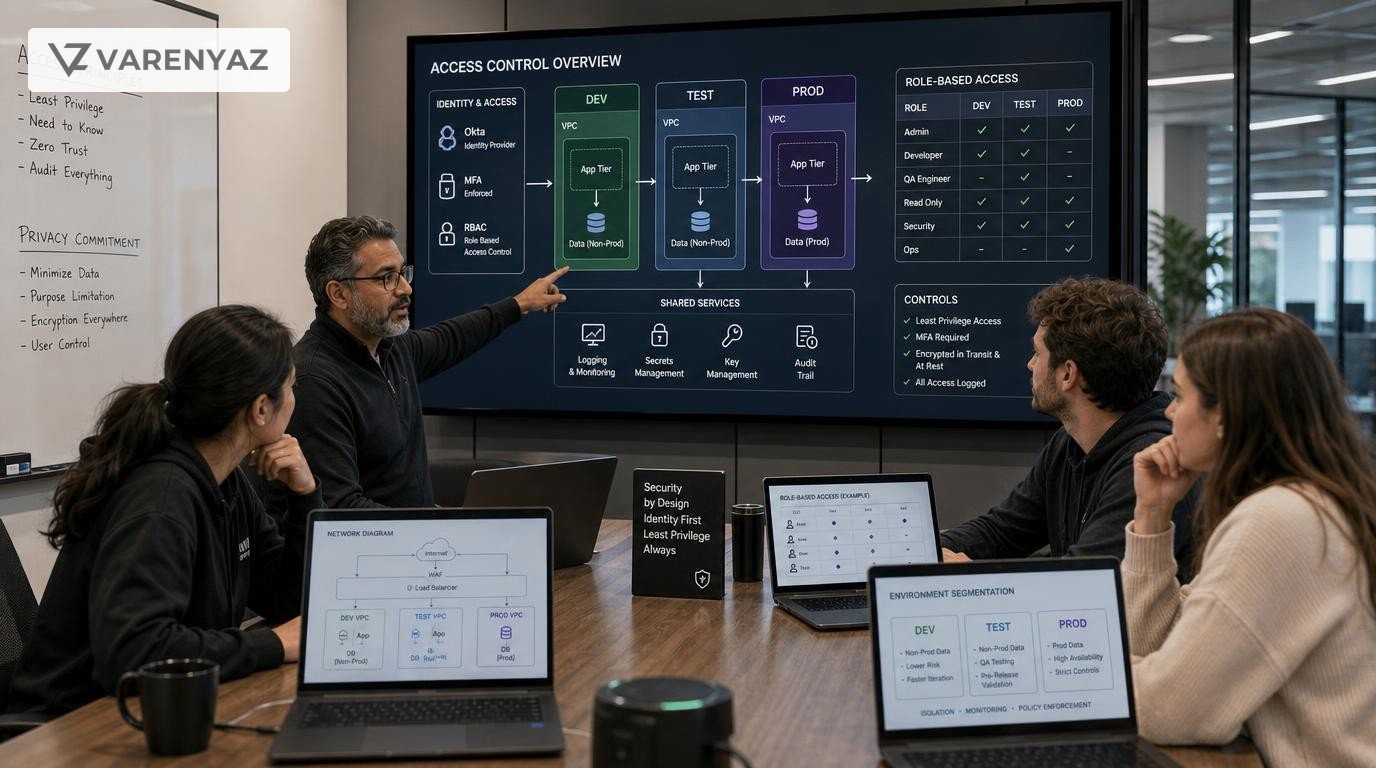
Guide details
- Type
- checklist
- Cluster
- Security and privacy basics
- Reviewed by
- VarenyaZ Editorial Desk
Direct answer
What you need to know
To securely prepare access for a development team in the United States, you should first define the exact systems and data developers need, then design a least-privilege access model, choose identity and access controls (e.g., SSO, MFA, VPN), separate production and non-production environments, and formalize everything in contracts and policies. Implement role-based access, logging, and change controls, test access with a pilot group, monitor usage continuously, and immediately revoke and rotate credentials during offboarding. Involve security and legal experts where needed, especially when handling personal or regulated data.
Key takeaways
- Define exactly what systems and data your development team truly needs before granting any access.
- Apply least-privilege and role-based access to separate environments, data types, and responsibilities.
- Use central identity, MFA, and encrypted channels instead of sharing passwords or direct production access.
- Document access rules in contracts, NDAs, and internal policies aligned with US privacy and security basics.
- Continuously monitor, log, and regularly review all development-related access rights.
- Treat onboarding and offboarding as security-critical workflows with clear ownership and SLAs.
What You Are Trying to Achieve When You Prepare Secure Access for a Development Team
When you prepare access for a development team securely in the United States, you are trying to solve two linked problems:
- Enable work: Give developers enough access to build, test, debug, and deploy quickly.
- Minimize risk: Avoid unnecessary exposure of systems, data, and customer information, and maintain control over who can do what, where, and when.
This guide is written for founders, business owners, CTOs, operations leaders, marketing leaders, and other digital decision-makers who work with internal teams, agencies, or freelance developers. It focuses on security and privacy basics that are broadly relevant to US-based organizations, not on industry-specific rules.
By the end of this checklist-style guide, you should be able to:
- Define what access your development team truly needs.
- Design a least-privilege, role-based access model.
- Choose the right identity and access controls (SSO, MFA, VPN, etc.).
- Separate production and non-production environments.
- Integrate security and privacy basics into contracts, onboarding, and offboarding.
- Know when to bring in security and legal expertise.
Why Secure Developer Access Matters for US Businesses
Developers are often granted powerful access: code repositories, servers, databases, APIs, analytics, and admin dashboards. When this access is not carefully structured:
- One compromised account can lead to a serious incident.
- Shared passwords make it impossible to know who did what.
- Developers may accidentally see more customer data than they should.
- Former employees or vendors may retain access longer than intended.
US regulators and best-practice frameworks consistently highlight access control as a foundational safeguard:
- NIST SP 800-53 emphasizes access enforcement, least privilege, and separation of duties as core security and privacy controls for organizations.
- NIST SP 800-63B sets expectations for modern authentication and credential management, including multi-factor authentication (MFA).
- FTC cybersecurity guidance for US businesses frequently calls out strong authentication, access control, and secure remote access as key defenses.
Even if you are not in a heavily regulated sector, a clear developer access model helps you:
- Reduce the likelihood of security incidents and data exposure.
- Move faster because roles and permissions are predefined.
- Show customers, partners, and investors that you take security and privacy seriously.
- Simplify due diligence and vendor assessments when you grow or raise capital.
Step 1: Define the Development Scope Before You Grant Any Access
Most access problems start because no one clearly defined what the development team is supposed to do. Before creating a single account, do this.
Clarify business objectives
Write down what the developers will work on over the next 6–12 months, for example:
- Build a new customer-facing web app.
- Maintain and enhance an existing e-commerce platform.
- Integrate with payment processors and third-party APIs.
- Automate internal workflows and reporting.
This scope drives which systems they truly need to touch.
List systems and environments
For each objective, list the relevant systems and environments, such as:
- Source code repositories (e.g., Git-based platforms).
- CI/CD pipelines and build servers.
- Cloud infrastructure accounts and services.
- Application servers and containers.
- Databases and data warehouses.
- Internal tools (CRM, marketing platforms, analytics, feature flags).
Mark each as:
- Development (dev): used for active coding.
- Testing/QA (test): used for functional and regression testing.
- Staging/UAT (stage): close to production for final validation.
- Production (prod): live environment serving real users.
Identify data types and sensitivity
For each system, identify what data types are involved:
- Customer contact data (names, emails, addresses).
- Payment-related data (tokenized payments, no card numbers vs. more sensitive data).
- Operational data (logs, metrics, inventory).
- Internal employee data.
Tag each as broadly:
- Sensitive: personal data, financial details, authentication secrets, or internal confidential information.
- Low sensitivity: public or near-public data, documentation, sample content.
This classification will drive where you apply stronger controls and where you can safely expose sanitized data to developers.
Step 2: Design a Role-Based, Least-Privilege Access Model
With scope defined, you can design how access should work instead of improvising.
Define standard roles
Start with a small set of roles that match your team structure. For example:
- Application Developer: works on application code and configuration.
- DevOps / Platform Engineer: manages infrastructure, CI/CD, and deployments.
- QA / Test Engineer: focuses on testing tools and environments.
- Product / Technical Lead: oversees architecture, reviews changes, may approve access requests.
- Support / Read-only Analyst: views logs, dashboards, and metrics but cannot change systems.
Each person can hold more than one role, but the permissions belong to the role, not the person.
Apply least privilege
For every role and system, ask:
- What is the minimum access this role needs to perform their tasks?
- What actions could be dangerous if misused (deleting data, changing settings, changing access)?
- Can we separate read-only access from write or admin access?
Examples:
- Developers may need read/write access to repositories and dev/test environments but only read access to production logs.
- Only DevOps roles may initiate deployments to production, preferably through automated pipelines, not manual changes.
- Analysts might need read-only database access in a reporting environment, not direct production database access.
Decide on production access rules
Decide, document, and communicate your production policy clearly:
- Default stance: Developers do not have direct production admin access.
- Exception handling: If production access is necessary for debugging, use time-limited, approved access with strong logging.
- Deployment model: Prefer automated deployments through CI/CD with approvals, not manual changes in production.
This separation is one of the most important security and privacy basics for any US-based organization handling customer data.
Step 3: Choose Identity, Authentication, and Secure Access Channels
Once roles are defined, you need a way to verify users, enforce strong authentication, and control how they connect.
Centralize identity where possible
Use a central identity provider or account directory to manage developer identities, such as:
- Company-wide accounts tied to your email domain.
- SSO integrations for major tools (repositories, ticketing, cloud, CI/CD).
A central identity source helps you:
- Enforce password and MFA policies consistently.
- Remove access fast when someone leaves.
- Reduce scattered local accounts and shadow identities.
Enforce strong authentication
Align your approach with modern authentication guidance, such as NIST SP 800-63B principles, by:
- Requiring multi-factor authentication (MFA) for all admin, production, and repository accounts.
- Favoring phishing-resistant MFA methods where possible (e.g., hardware security keys, platform authenticators) for highly privileged access.
- Disallowing shared admin accounts wherever feasible.
Document which systems require MFA and ensure your vendors support it.
Secure remote access
Most development teams will connect from home, coworking spaces, or client offices. Protect those connections:
- Use a VPN or a zero trust access solution for internal networks, admin consoles, and sensitive tools, following guidance from agencies such as CISA on securing remote access.
- Restrict direct SSH or RDP access to servers; use bastion hosts or controlled access tools with logging.
- Limit access by network or device posture where appropriate (e.g., company-managed devices).
Write down which resources are internet-facing and which must be reachable only via VPN or secured access gateways.
Step 4: Align Contracts, NDAs, and Policies With Your Access Model
Even if your focus is technical, contracts and policies are critical when you prepare access for a development team securely in the United States.
External vendors and agencies
If you work with agencies or freelance developers, your agreements should cover at least:
- Confidentiality: Non-disclosure obligations that explicitly include code, systems, and customer data.
- Access scope: A description of what systems, environments, and data the vendor may access, and for what purposes.
- Security expectations: Requirements for MFA, secure devices, patching, and secure handling of credentials.
- Subcontractors: Whether they may use subcontractors and, if allowed, that those subcontractors are bound by equivalent obligations.
- Return or deletion of data: What happens at the end of the engagement.
Consult US-based legal counsel to align these with your industry and risk profile, especially if developers will work with customer data or regulated information.
Internal policies
Create concise policies your teams will actually read and follow:
- Access control policy: How roles, approvals, and access reviews work.
- Acceptable use policy: What developers may and may not do with systems and data (e.g., no scraping of customer data for personal projects, no storing credentials in unapproved tools).
- Data handling policy: Rules for handling personal or sensitive data, including logs and backups.
Link these policies to your employee handbook and onboarding materials for new hires in the US.
Step 5: Prepare Development, Test, and Staging Environments Safely
A secure access strategy is weaker if non-production environments are treated as “anything goes.” Developers often spend most of their time there, and those environments can leak sensitive data.
Separate environments clearly
For each environment (dev, test, stage, prod), define:
- Who can access it (by role).
- What level of data it contains (synthetic, anonymized, or production-like).
- What level of security it requires (e.g., MFA, VPN, logging detail).
Production should always be the most restricted. Staging often needs tighter controls than dev and test because it is closest to production.
Decide how to handle real data
When possible, use synthetic or anonymized data in non-production environments. If you must use production-like data, consider:
- Masking or tokenizing identifying fields where feasible.
- Limiting the volume of data copied to non-production environments.
- Restricting who can see or query that data.
- Ensuring logs do not contain unnecessary personal details.
Even if you are not covered by sector-specific US laws, careful handling of personal data is a basic expectation and reduces reputational and regulatory risk.
Secure shared tools
For common development tools, define standards:
- Source control: Use protected branches, code review requirements for important repositories, and MFA.
- CI/CD: Restrict who can modify pipelines, credentials, and deployment rules.
- Issue tracking: Restrict access to tickets that contain sensitive details, such as security vulnerabilities or customer-specific incidents.
These small controls often prevent accidental leaks of secrets, keys, and sensitive configuration.
Step 6: Implement Provisioning, Approvals, and Documentation
Once your design is clear, you need a consistent way to grant and change access.
Standardize access requests and approvals
Your process does not need to be heavy, but it should be visible and repeatable:
- Use a ticketing system or a simple request form for all non-trivial access changes (especially for production, admin roles, and vendor access).
- Require approvals from a relevant manager or system owner, not just the requester.
- Record the business justification for elevated access.
This record is invaluable if you ever need to review an incident or satisfy a due diligence request.
Maintain an access register
Maintain a basic “who has what” record, even if your tools also show permissions:
- List each developer (internal and external) and their assigned roles.
- Note which systems they can access and at what level (read, write, admin).
- Capture when access was granted and by whom.
As you mature, this can evolve into a formal access governance program. At smaller scales, a simple, accurate spreadsheet plus tool-level audits still helps reduce risk.
Step 7: Enable Logging, Monitoring, and Access Reviews
Monitoring is where your access strategy becomes verifiable. If something goes wrong, you want to know what happened and who did what.
Log key actions
Ensure that for critical systems you log at least:
- Logins and failed login attempts, especially admin and remote access.
- Privilege changes (who gained or lost admin or production rights).
- Configuration changes to security controls, network rules, and access lists.
- Code pushes and deployments to production.
Centralize logs where possible so you can correlate events across systems.
Schedule periodic access reviews
Perform access reviews regularly (for example, quarterly):
- Ask system owners or team leads to review who has what access in their systems.
- Remove unused or unnecessary accounts and roles.
- Downgrade privileges that are no longer needed (e.g., a temporary admin role for a past project).
These reviews align with best-practice access control expectations from frameworks like NIST SP 800-53 and help keep your environment tidy as teams change.
Step 8: Test With a Pilot Group Before Full Rollout
Before rolling out your new access structure to the entire development team, test it with a small, trusted group.
Run a pilot
Choose a team or project and:
- Provision access strictly according to your new roles and policies.
- Ask the team to complete common tasks: code, test, deploy, debug.
- Note where they are blocked, where access is too broad, or where it is too narrow.
Gather feedback not only on the technical setup but also on clarity of documentation and ease of onboarding.
Adjust your design
Based on the pilot:
- Refine role definitions and permissions.
- Add clarifications to policies where confusion arose.
- Adjust tooling or automation to reduce friction (for example, adding self-service password resets or automating certain approvals with predefined conditions).
After a successful pilot, you can roll out the updated model to the rest of the development organization with more confidence.
Step 9: Operationalize Onboarding and Offboarding
Access is not a one-time setup. Turnover, role changes, and new vendors are constant realities for US businesses.
Onboarding: getting new developers productive and safe
Create a standard onboarding checklist for any new developer, whether employee or vendor. For example:
- Create or connect their identity account (company email, SSO).
- Enroll MFA and verify it works.
- Assign standard roles (developer, QA, DevOps, etc.) according to their job.
- Grant access to required tools and environments based on those roles.
- Provide links to policies and a short orientation on access, data handling, and incident reporting.
Assign a clear owner for onboarding tasks (often IT, DevOps, or a designated access manager) and ensure they understand timelines and expectations.
Offboarding: revoking access reliably
Offboarding is where many organizations fall short. An ex-contractor or employee with lingering access can pose a serious risk.
Create an offboarding checklist that is triggered whenever someone:
- Leaves the company.
- Ends a contractor engagement.
- Changes role such that they no longer need certain privileges.
The checklist should include:
- Disabling or removing the user from central identity systems.
- Revoking access to VPN, admin consoles, code repositories, CI/CD, and analytics.
- Rotating shared secrets and keys they had access to, where feasible.
- Reassigning ownership of any automation, jobs, or keys tied to their account.
Set internal expectations for how quickly offboarding steps must be completed (e.g., immediate revocation on the last day of work).
Step 10: Common Mistakes to Avoid
When preparing access for a development team securely in the United States, these are frequent and costly errors:
- Sharing accounts: Shared admin logins or generic “developer” accounts make accountability impossible and increase the impact of a compromise.
- Skipping MFA for critical systems: Failing to apply MFA to admin and repository accounts leaves you open to basic phishing or credential stuffing attacks.
- Unsegmented production: Allowing broad developer access directly to production systems without logging, approvals, or separation of duties.
- No visibility into vendor access: Not tracking who at a vendor can access your systems or data, and not revoking access when vendor staff changes.
- Storing secrets in code or chat: API keys, passwords, and certificates left in source code, messaging tools, or shared documents.
- One-time setup mindset: Treating access as a project instead of an ongoing governance responsibility with reviews and improvements.
Recognizing and addressing these patterns early saves time and reduces the likelihood of security incidents.
When to Bring in Technical and Legal Help
You do not need to do everything yourself. Knowing when to bring in experts is part of sound decision-making.
Bring in security expertise when:
- Developers will access or process customer personal data at scale.
- You handle particularly sensitive information (health, financial, or other high-impact data).
- You are implementing more advanced models, such as zero trust or fine-grained policy-based access controls.
- You have experienced a security incident linked to developer access and need to redesign your approach.
A security professional can help you:
- Validate your role design and environment separation.
- Choose and configure identity, VPN, and logging tools appropriately.
- Establish incident detection and response processes.
Bring in legal expertise when:
- Developers will handle personal data that is material to your US operations.
- You engage offshore development teams and need to account for cross-border data transfers and local laws.
- You are updating NDAs, vendor contracts, or privacy notices to reflect new access patterns.
- Customers or partners ask for contractual security commitments linked to developer access.
Legal counsel can help align your contracts and policies with your technical controls and with applicable US legal and regulatory expectations.
Adapting This Checklist for Different Types of Organizations
While the fundamentals are similar, how you implement this guidance can differ by size and maturity.
For startups and small businesses
Focus on a pragmatic, lightweight version:
- Pick a single identity provider and enforce MFA for all staff.
- Use one VPN or secure access gateway for internal services.
- Clearly separate production and non-production environments in your cloud accounts.
- Maintain a simple access register and quarterly review.
- Create short, readable policies and a one-page onboarding/offboarding checklist.
The goal is to avoid chaos while staying nimble.
For growing and mid-size organizations
As your teams grow and you add contractors, you will need:
- More formal role-based access control (RBAC) in core systems.
- Integration of HR events with access provisioning and revocation.
- Regular access review cycles owned by system owners.
- More detailed vendor security requirements and questionnaires.
At this stage, a small security team or vended security function can add strong value.
For more mature enterprises
Larger organizations often:
- Adopt zero trust architectures to control and monitor all network access.
- Implement centralized logging, SIEM solutions, and automated alerting.
- Map access controls directly to security frameworks like NIST SP 800-53 as part of broader governance.
- Integrate risk assessments and privacy impact assessments into new development initiatives.
While more complex, the same core principles apply: least privilege, separation of environments, strong authentication, and disciplined onboarding/offboarding.
Putting It All Together
Preparing access for a development team securely in the United States is not just about tools. It is about designing access around roles, data sensitivity, and clear responsibilities, then enforcing that design through technology, contracts, and everyday practices.
If you:
- Define scope and roles carefully.
- Use central identity, MFA, and secure remote access.
- Separate production and non-production environments.
- Align contracts, NDAs, and policies with how access actually works.
- Monitor, review, and adjust access over time.
you will have covered the essential security and privacy basics for developer access in most US business contexts.
If you want structured help designing or reviewing your secure access model for development teams, you can speak with the VarenyaZ team at https://varenyaz.com/contact/.
Practical checklist
- Document what the development team will build, maintain, or integrate.
- List all systems, repositories, and environments needed to support that work.
- Identify what personal or sensitive data, if any, developers will see.
- Define standard roles for developers, leads, DevOps, QA, and product.
- Map each role to the minimum access rights (least privilege).
- Decide which roles, if any, can ever access production.
- Create clear separation between development, testing, staging, and production.
- Choose an identity provider or account system for developers.
- Require multi-factor authentication for all privileged accounts.
- Decide how developers will connect securely (VPN, zero trust, secure bastion).
- Standardize tools for source control, CI/CD, and ticketing.
- Update contracts and NDAs to reflect access scope and data handling.
- Confirm where data is stored and whether US-only regions are required.
- Write short, practical access and acceptable-use policies for developers.
- Prepare non-production environments with realistic but sanitized data where possible.
- Define rules for using production data in lower environments, if ever allowed.
- Set rules for secrets management (no credentials in code or chat).
- Establish a clear process for requesting and approving access.
- Centralize access grants in tickets or a simple access register.
- Ensure all admin and production access is logged and auditable.
- Assign owners for periodic access reviews (e.g., quarterly).
- Pilot your access model with a small group before full rollout.
- Train the development team on your access rules and why they matter.
- Create a standard onboarding checklist for new developers.
- Create a standard offboarding checklist with strict timelines.
- Define how quickly access must be revoked when someone leaves.
- Schedule regular reviews of access controls, tools, and policies.
- Identify scenarios that require security or legal consultation.
- Document the full access architecture for future audits and updates.
Frequently asked questions
What is the first step to prepare secure access for a development team in the United States?
Start by mapping what the development team will actually do and listing the systems, data, and environments required to complete that work. From this, you can define roles and the minimum access rights each role needs, which then guides all technical and contractual controls. Skipping this scoping step usually leads to over-privileged accounts and unnecessary risk.
How should I handle access to production systems for developers?
By default, avoid direct developer access to production. Instead, provide robust staging environments, controlled deployment pipelines, and a small group of tightly managed production operators or SREs. If developers must access production for debugging, make it time-bound, fully logged, and approved through a break-glass or just-in-time access process, with clear rules on what they can and cannot do.
Do I need different security measures for US-based versus offshore development teams?
The core technical controls are similar, but US-based teams still need clear contracts, NDAs, least-privilege access, and privacy safeguards. Offshore teams add extra considerations, such as cross-border data transfers and local laws. For US operations, use US-hosted environments and ensure data access is consistent with your privacy notices and any sector-specific rules that may apply.
How can small startups implement secure access without overcomplicating things?
Use a few well-chosen tools—such as a cloud identity provider with MFA, a simple VPN, and managed cloud services—combined with clear role definitions and basic written policies. Focus on not sharing passwords, segmenting production from test environments, logging administrative actions, and promptly revoking access when people leave. You can add more sophisticated controls as you grow.
When should I involve a security or legal expert in setting up developer access?
Bring in expertise when developers will touch personal data, regulated data, payment data, or critical production systems. Security professionals can help design your access model, logging, and incident response, while legal counsel can adjust contracts, NDAs, and privacy notices to reflect how development teams use and access data in your US operations.
Sources
- NIST Special Publication 800-53 Rev. 5, Security and Privacy Controls for Information Systems and Organizations
- NIST Special Publication 800-63B, Digital Identity Guidelines - Authentication and Lifecycle Management
- Federal Trade Commission, Data Security Guidance for Businesses
- Cybersecurity and Infrastructure Security Agency (CISA), Securing Remote Access
Related terms
Related guides
VarenyaZ support
Need help turning this guide into a working product, website, or AI system?
VarenyaZ helps teams plan, design, build, automate, and improve web apps, mobile apps, AI workflows, and digital growth systems.
Talk to VarenyaZ