
How to Plan a Mobile App Before Hiring Developers in the US
A step‑by‑step planning guide for US businesses to define, validate, scope, and budget a mobile app before hiring developers or agencies.
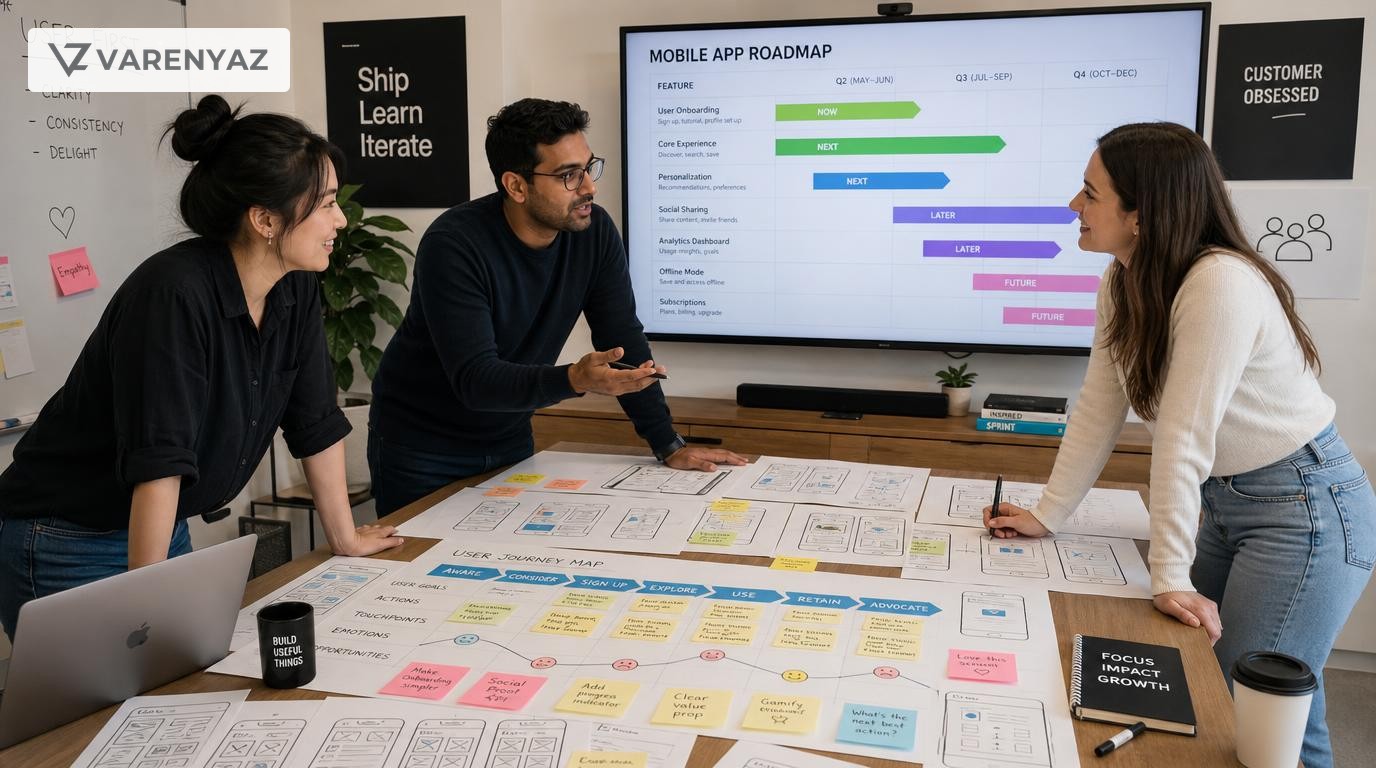
Guide details
- Type
- pillar
- Cluster
- App development planning
- Reviewed by
- VarenyaZ Editorial Desk
Direct answer
What you need to know
To plan a mobile app before hiring developers in the United States, you should clarify the business problem, define target users and core journeys, choose a realistic launch scope, decide on platform and tech direction at a high level, validate demand, estimate budget ranges, and document everything in a structured product brief and requirements outline. This preparation lets you compare US development partners on equal terms, negotiate realistic contracts, and reduce the risk of costly rewrites or project failure.
Key takeaways
- A strong app plan focuses first on the business problem and users, not screens or technology.
- Define a narrow, testable launch scope to reduce risk and control your US development budget.
- Create a written product brief and lightweight requirements to compare developers on equal terms.
- Make only high-level tech decisions yourself; leave detailed implementation choices to experts.
- Account for US data privacy, sector regulations, and app store requirements from the start.
- Validate demand early with problem interviews or prototypes before committing major spend.
- Use structured planning to negotiate better contracts, milestones, and change control.
- Bring in technical help when decisions impact security, scalability, or multi-system integration.
What You Are Really Trying to Achieve With App Planning
Planning a mobile app before hiring developers in the United States is about far more than making a few wireframes. It is about reducing uncertainty so you can invest confidently.
In practical terms, your planning work should help you:
- Align your leadership team on why you are building the app and what success looks like.
- Decide what to build first and what can wait, so you avoid runaway scope and costs.
- Speak a clear language with developers and agencies, even if you are not technical.
- Control risk around budget, schedule, compliance, and technical decisions.
- Shortlist the right US development partners and compare their proposals fairly.
The outcome of good planning is a set of living documents—especially a concise product brief and a structured requirements outline—that let you move quickly once you pick a development partner.
Why Careful App Planning Matters in the US Context
US-based or US-focused apps face specific expectations and risks.
- Higher user expectations. US users are accustomed to polished mobile experiences, fast response times, and reliable performance.
- Competitive landscape. Many categories are crowded; a weak first release can make it harder to gain traction later.
- Compliance exposure. Depending on your industry, you may need to account for privacy, consumer protection, and sector rules from day one.
- Labor and development costs. US development rates are generally higher than many regions, so poor planning is more expensive.
Good planning does not eliminate risk, but it shifts your risks earlier—when changes are cheaper—rather than discovering them mid-build or post-launch.
Step 1: Clarify the Business Problem and Success Metrics
Define the core problem
Before you think about features, define the problem in plain language:
"We are building a mobile app so that [target user] can [specific outcome] without [current pain or friction]."
Examples:
- "We are building a mobile app so that our US retail customers can place repeat orders in under two minutes without calling our support line."
- "We are building a mobile app so that field technicians can log service visits offline and sync when they are back online, instead of emailing spreadsheets."
Set measurable business goals
Identify 3–5 measurable goals you want to see within 6–12 months of launch, such as:
- Increase repeat purchase frequency by 20% for app users versus non-app users.
- Reduce call center volume for simple tasks by 30%.
- Cut technician reporting time by 40%.
- Generate at least 30% of new account sign-ups via mobile within a year.
These goals will shape feature priorities and how you judge success later.
Step 2: Define Your Target Users and Key Use Cases
Identify primary user segments
For most apps, you will have a primary user (the main beneficiary) and sometimes a secondary user (admin, manager, or partner). Document for each:
- Role and responsibilities (e.g., owner-operator, field technician, parent, college student).
- Context of use (on the go, at a desk, in low connectivity areas, in-store, at home).
- Key motivations and frustrations related to your problem space.
Keep personas light: one page or less per major segment.
List top use cases and user journeys
Next, capture 3–7 core tasks users should accomplish in your app, for example:
- Browse products and complete a purchase.
- Log a service visit and capture notes/photos.
- Request an appointment and receive confirmation.
- Submit an expense report and get approval.
For each use case, sketch a simple user journey in words:
- How the user discovers or opens your app.
- What they do step-by-step to complete the task.
- What a successful outcome looks like for the user and your business.
This narrative is more important at this stage than pixel-perfect screens.
Step 3: Draft a Concise Product Brief
The product brief is a 5–15 page document that describes what you want to build and why, without prescribing detailed technical design. It will be your main artifact when speaking with US developers.
What to include in your product brief
- Vision and context
- One-paragraph vision statement for the app.
- Market or internal context driving the initiative.
- Business goals and success metrics
- The objectives and KPIs you defined in Step 1.
- Target users and use cases
- Personas and primary journeys from Step 2.
- Scope and non-goals
- What the first version will cover (high-level features and journeys).
- What is explicitly out of scope for the first release.
- Constraints and assumptions
- Budget and timeline expectations.
- Technical environment if any (existing systems, preferred clouds).
- US-specific considerations (e.g., audience in certain states, language requirements).
- Risks and open questions
- Known uncertainties or dependencies.
Do not worry if it is imperfect—developers will expect to refine it with you. The key is that everyone references the same source of truth.
Step 4: Prioritize Features and Define an MVP
List potential features
Brainstorm all the features that could support your goals and user journeys. Examples:
- User registration and login (email, phone, SSO).
- Profile management.
- Search and filtering.
- Push notifications.
- In-app chat or support.
- Payment processing.
- Offline mode for key workflows.
- Analytics dashboard for admins.
Use a simple prioritization method
Classify each feature into three buckets:
- Must-have: Without this, the app fails its core purpose.
- Should-have: Highly valuable but the app can still launch without it.
- Nice-to-have: Enhancements you can add later.
For a first release (often called an MVP, or Minimum Viable Product) focus almost entirely on must-haves, plus a handful of high-impact should-haves if budget and timing allow.
Balance ambition against constraints
Bring realism into the discussion:
- If your budget is constrained, reduce scope rather than compromising heavily on quality and security.
- If time-to-market is critical, prefer a leaner launch with a clear plan for follow-up releases.
This discipline will help US developers produce more accurate estimates and reduce change orders.
Step 5: Make High-Level Platform and Technology Choices
You do not need to design the full architecture, but you should set direction on a few high-level choices so developers can propose appropriate solutions.
Platform choice: iOS, Android, or both?
Consider:
- Audience. In many US markets, both iOS and Android are important. If you must choose one first, align with your core segment’s usage.
- Business model. If your revenue depends on consumer in-app purchases, iOS users may have higher average spend in some segments; Android may dominate in others.
- Internal teams. If your company already supports one ecosystem, there may be synergies.
Options for an initial release:
- iOS first, Android later.
- Android first, iOS later.
- Both at once (e.g., via cross-platform framework).
Native vs. cross-platform
Common options include:
- Native (Swift/Objective-C for iOS, Kotlin/Java for Android): Best for performance, complex device integrations, and platform-specific experiences.
- Cross-platform (e.g., React Native, Flutter): Shared codebase across platforms, often faster to develop and easier to maintain with one team, with some trade-offs in deep platform-specific customizations.
At the planning stage, focus on your priorities:
- Is top-tier performance or advanced native capabilities mission-critical?
- Is budget and time-to-market more constrained?
- Will you have in-house engineers to maintain the app long-term, and what skills do they have?
Document those priorities and let prospective US developers recommend an approach that fits your context; then evaluate their reasoning.
Step 6: Understand Data, Security, and US Compliance Needs
Every app handles data; some carry more risk than others. Early awareness avoids unpleasant surprises when you involve legal or security teams later.
Map the data lifecycle
For each major feature, consider:
- What data you collect (e.g., name, contact info, location, payment details, health-related information, behavior tracking).
- Where it is stored (on device, on your servers in the US, in third-party services).
- Who can access it (internal teams, third parties).
Even if you are not in a heavily regulated industry, you should plan for appropriate transparency and security practices, especially for US consumers.
Consider regulatory and platform obligations
Depending on your sector and user base, you may need to address:
- Consumer privacy expectations and transparency, as recommended by US consumer protection authorities, particularly for mobile apps.
- Sector rules, such as financial or health-related regulations, if you process sensitive data.
- Platform requirements from app stores. For example, Apple’s App Store Review Guidelines and Google Play policies define rules for data collection, in-app purchases, and disclosure expectations for apps distributed through their stores.
It is often enough at this stage to:
- List the categories of data you will collect.
- Note any obvious sensitivity (e.g., children’s data, health information).
- Flag areas where you will seek legal or compliance review.
Security requirements
Outline any non-negotiable security expectations, such as:
- Enforced authentication methods (e.g., MFA, biometrics).
- Encryption in transit and at rest for sensitive data.
- Device-level controls (e.g., blocking screenshots in specific screens).
Industry guidance from recognized security bodies can help you frame a baseline for mobile app security practices, which you can then refine with developers and security specialists.
Step 7: Estimate Budget and Timeline Ranges
At planning stage, your goal is not a precise quote but a defensible range and understanding of what drives costs in US app development.
Cost drivers
- Feature complexity: Authentication, payments, offline support, real-time updates, and complex integrations increase effort.
- Design depth: Custom animations and high-fidelity visuals take more time than simple, standard components.
- Platforms supported: iOS-only, Android-only, or both.
- Integrations: Number and complexity of third-party systems and APIs.
- Non-functional requirements: Strong security, scalability, or advanced analytics.
Align internal expectations
Before requesting quotes from US developers, align internally on:
- A budget range you are willing to consider.
- How you will internally measure return on investment (ROI) and payback.
- Your tolerance for trade-offs (e.g., fewer features for higher quality).
You can then test that range with selected partners and adjust scope if needed.
Step 8: Create Basic User Flows and Wireframes
You do not need polished designs, but simple visuals dramatically reduce miscommunication.
Start with flows
Create a flow for each core use case:
- Entry point (open app, tap push notification, deep link, QR code).
- Sequence of screens and decisions.
- Outcome (confirmation, error, next best action).
Tools can be as simple as pen and paper or digital whiteboards. The goal is clarity, not artistry.
Add low-fidelity wireframes
For key screens, sketch what users see:
- Major areas (header, main content, navigation, actions).
- Key information and fields.
- Primary call-to-action per screen.
Wireframes help US developers, designers, and non-technical stakeholders see that they are aligned on the basic interaction patterns before moving to high-fidelity design.
Step 9: Map Integrations and Backend Requirements
Most non-trivial mobile apps in the US rely on external systems. Mapping these early helps prevent architectural rework.
Identify systems you must connect to
- Existing internal systems: CRM, ERP, order management, EHR, ticketing, etc.
- Third-party services: payment gateways, messaging services, analytics, authentication providers, mapping, or logistics APIs.
- Data sources: product catalogs, user profiles, transactional logs.
For each, note:
- Whether an API or integration method already exists.
- Any known constraints (e.g., batch-only updates, limited availability, rate limits).
- Owners or teams responsible for those systems inside your organization.
Decide where your "source of truth" will live
Clarify whether the mobile app is:
- A new client on an existing backend.
- The starting point for a new backend or platform.
- A temporary front-end before a broader system modernization.
These decisions influence how US developers design the architecture and data flows.
Step 10: Validate Demand and Usability Early
Before committing to a full build, try to validate that you are solving a real problem and that your proposed approach is usable.
Ways to validate without full development
- Customer interviews. Ask potential users how they currently solve the problem, what works, and where they struggle.
- Clickable prototypes. Use simple prototyping tools to test flows with representative US users.
- Landing page tests. Present your app concept and capture email interest, if appropriate.
- Internal pilots. For B2B or internal apps, pilot flows with a small group of employees or partners using low-fidelity tools.
Insights from these tests can change which features are must-have and help you avoid building low-value capabilities.
Step 11: Prepare a Vendor-Ready Request Package
Once your app concept is shaped, assemble a request package you can share consistently with US development partners.
What to include
- The latest product brief.
- A prioritized feature list (must/should/nice-to-have).
- User flows and wireframes for key journeys.
- Integration map and any existing technical constraints.
- Compliance, privacy, and security considerations relevant to your domain.
- Budget and timeline ranges, if you are comfortable sharing them.
- Questions for the developer, such as preferred technology stack, approach to quality assurance, or how they handle change requests and maintenance.
Explain that you are looking for both a high-level technical solution and an estimate, and that you expect the plan to be refined during discovery.
Mistakes to Avoid When Planning a Mobile App
Even experienced teams fall into predictable traps. Being aware of them can save months and significant spend.
1. Starting with screens instead of problems
Jumping straight into designs without clear goals and user journeys often leads to visually attractive apps that do not move your business metrics.
2. Packing too much into version one
Trying to satisfy every stakeholder in the first release is a recipe for delays and budget blowouts. Use phased roadmaps and data to guide what comes next.
3. Underestimating backend and integration work
It is easy to focus on the visible app while ignoring the complexity of connecting to systems that were never designed with mobile in mind. Mapping integrations early prevents surprises.
4. Ignoring compliance and privacy until late
US consumer expectations around transparency and data use are high. Retro-fitting consent flows, privacy notices, or extra security controls late in development is expensive and can delay app store approvals.
5. Writing rigid technical specifications without expertise
Non-technical teams sometimes over-specify technical details (frameworks, databases) without understanding implications. This can constrain developers or lead to poor choices. Focus instead on functional requirements and non-functional needs (performance, security, scalability) and let experts propose implementation details.
6. Selecting vendors only on price
The lowest bid often reflects missing scope, unproven processes, or assumptions that will resurface as change orders. Use your planning documents to compare US vendors on understanding of your problem, proposed approach, and communication quality as well as cost.
When to Bring in Technical or Domain Help
You do not have to navigate all of this alone. Recognizing when to bring in expertise is a strength, not a weakness.
Situations that warrant technical support
- Complex integrations. When your app must work with legacy systems, real-time data, or multiple external APIs.
- Strict security or compliance requirements. For sectors like finance, healthcare, or education, early technical input can prevent major redesigns.
- Unclear scalability needs. If you anticipate rapid growth, or a US national launch, involving architects early will shape better long-term decisions.
- Limited in-house technical leadership. If you lack a CTO or experienced product owner, an external advisor can help you evaluate vendor proposals and technology choices.
Common support models include:
- Short-term technical advisory to review your plan and vendor proposals.
- Fractional product or technology leadership to drive discovery and planning.
- End-to-end partners who can help plan, build, and iterate with you.
If you want structured help turning your app idea into a vendor-ready plan, you can contact VarenyaZ at https://varenyaz.com/contact/.
Putting It All Together
Planning a mobile app before hiring developers in the United States is a structured process, not a guessing game. By the time you approach development partners, you should have:
- A clearly articulated problem and business case.
- Defined user segments and key journeys.
- A concise product brief and prioritized feature list.
- High-level platform and technology direction.
- An understanding of your data, security, and compliance landscape.
- Budget and timeline ranges that leadership supports.
- Simple flows, wireframes, and an integration map.
With these in place, conversations with US development teams become faster, clearer, and more productive. You will be better positioned to select the right partner, negotiate fair terms, and guide the project through delivery and beyond.
Most importantly, you shift effort to the front of the process, where changes are inexpensive and insights are most valuable, setting your mobile app—and your business—up for a more successful launch and evolution.
Practical checklist
- Problem statement and business objectives are written and agreed internally.
- Target user personas and top 3–5 use cases are documented.
- Success metrics for the first 6–12 months are defined.
- Features are categorized into must-have, should-have, nice-to-have.
- Preferred platforms (iOS, Android, web) and devices are identified.
- Data collected by the app and storage locations are listed.
- Any sector-specific or US regulatory considerations are noted.
- High-level user flows and basic wireframes are sketched.
- Third-party systems and APIs to integrate with are identified.
- Budget and timeline ranges are aligned with stakeholders.
- Open questions and assumptions are documented for developers.
- A concise product brief is ready to send to potential partners.
Frequently asked questions
What should I have ready before talking to mobile app developers in the United States?
Before speaking to developers, you should have a clear problem statement, target user profiles, 3–5 measurable business goals, a prioritized feature list, basic user flows or wireframes, and a sense of budget and timeline ranges. Document this in a short product brief so you can share the same information with all potential US development partners.
How detailed should my mobile app plan be before hiring a development agency?
You do not need a technical specification down to the database level. Aim for a clear description of the problem, user journeys, must-have vs. nice-to-have features, success metrics, constraints, and risks. A 5–15 page product brief plus a lightweight requirements outline is usually sufficient for developers to propose technical solutions and estimates.
How can I estimate a budget for a mobile app in the US before I have designs?
Use your planned scope to classify your app as simple, moderate, or complex based on features like authentication, payments, integrations, and offline support. Then obtain ballpark ranges from multiple US agencies or experienced contractors, explaining that you are early-stage. Refine the range as your scope and requirements become clearer during planning and discovery.
Do I need to choose native vs. cross-platform before hiring developers?
You should understand the trade-offs but you do not have to lock in a decision alone. Document your priorities—performance, time to market, budget, and long-term maintainability—and ask potential development partners to explain which approach they recommend and why. Use their reasoning, aligned with your business goals, to choose a direction.
When should I involve legal or compliance teams in mobile app planning in the US?
Involve legal or compliance early if your app processes personal data, payments, health information, or targets regulated industries or minors. Early review helps you plan data collection, consent, terms of use, privacy policy, and security requirements that developers must implement for US users and potentially international audiences.
What documents should I give to US developers when asking for a proposal?
Share a product brief, prioritized feature list, basic user flows or wireframes, assumptions and constraints, and any compliance or integration requirements. This enables more accurate proposals, allows you to compare US developers fairly, and reduces the risk of major scope changes during delivery.
Sources
Related terms
Related guides
VarenyaZ support
Need help turning this guide into a working product, website, or AI system?
VarenyaZ helps teams plan, design, build, automate, and improve web apps, mobile apps, AI workflows, and digital growth systems.
Talk to VarenyaZ