
What Every Service Business Website Should Include in the United States
Learn exactly what every U.S. service business website must include to win trust, generate leads, and stay compliant, with a practical, prioritized checklist.
Guide details
- Type
- website presence
- Cluster
- Website presence
- Reviewed by
- VarenyaZ Editorial Desk
Direct answer
What you need to know
Every U.S. service business website should clearly communicate who you are, what you do, where you operate, and how to contact you, backed by proof you can be trusted. At minimum, include a clear value proposition, focused service pages, strong calls to action, visible contact details, local and industry trust signals, mobile-optimized design, basic legal and privacy information, and simple ways for visitors to request quotes or book consultations. Layer analytics, lead capture, and clear next steps so your website reliably turns qualified visitors into sales conversations.
Key takeaways
- Your website must answer four questions quickly: who you are, what you do, where you operate, and how you help.
- Every service business site in the U.S. needs clear service pages, strong calls to action, and visible contact options.
- Trust signals such as reviews, certifications, and local presence are as important as design and content.
- Mobile-first, fast-loading pages are essential, as most service research now starts on phones.
- Even small service businesses should include a basic privacy notice and accessibility-minded design choices.
- Lead capture, quote or booking forms, and clear next steps turn your site from brochure into sales engine.
- Analytics and call tracking help attribute leads and justify further website investment.
- Bring in technical help for performance, SEO, accessibility, security, and integrations instead of ignoring them.
What You Are Really Trying to Achieve With Your Service Business Website
For a service business in the United States, a website is no longer a digital brochure. It is a core part of your sales and operations system. When it works, it consistently turns anonymous visitors into qualified inquiries, supports your reputation, and reduces friction across marketing, sales, and delivery.
In practical terms, every service business website should reliably do four jobs:
- Clarify who you are, what you do, where you operate, and who you serve.
- Build trust that you are legitimate, competent, and safe to contact.
- Guide action with clear next steps: call, book, request a quote, or schedule a consultation.
- Support operations by capturing the right information and integrating with your tools.
Everything you include on your website should be traceable back to those four jobs. This guide focuses on what every U.S. service business website should include to achieve them, regardless of industry or size.
Why It Matters in the United States Context
Operating in the United States brings both opportunity and complexity. Prospective customers compare you against a wide field of alternatives, often within seconds. They also carry expectations shaped by large digital-first brands, even when dealing with a local plumber, consultant, or medical clinic.
Your website presence matters because:
- Customers research first, contact later. Many buyers will check your website and reviews before ever calling or visiting.
- Trust and risk are front of mind. U.S. consumers and businesses are cautious about scams, poor quality work, and hidden fees. A vague or outdated site raises red flags.
- Regulatory and legal context exists. Depending on your sector and size, you may need to respect advertising guidance, privacy expectations, and accessibility considerations.
- Competition is one click away. If your site does not answer core questions fast, visitors leave and try the next provider.
The goal is not just a "nice" website but a minimum viable, high-trust digital storefront that aligns with U.S. customer expectations and your business model.
The Essential Pages Every Service Business Website Should Include
Regardless of whether you are a local home service company, a national consulting firm, or a specialized B2B service provider, the basic information architecture is similar.
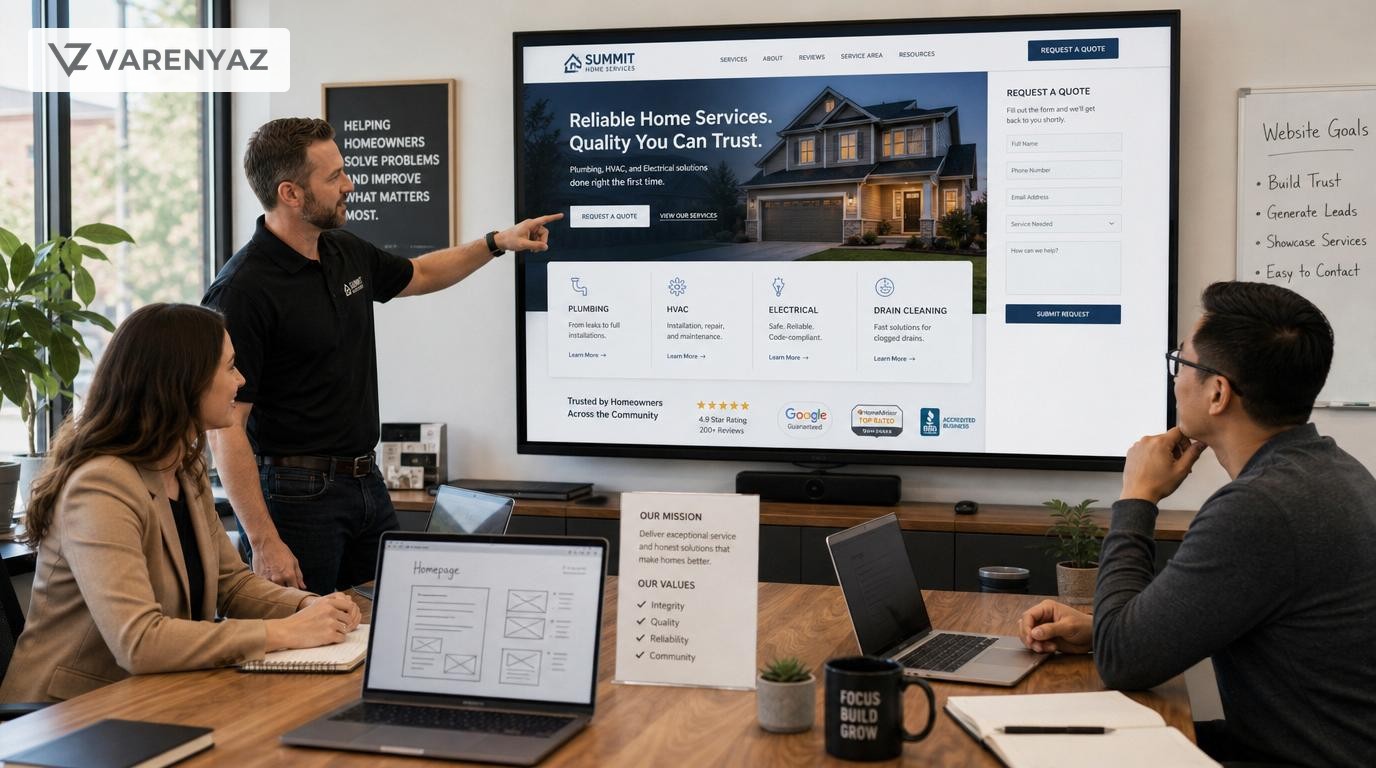
1. A Focused, Conversion-Oriented Home Page
Your home page is often the first impression. It should quickly answer:
- Who are you? Your business name and a short descriptor (e.g., "IT support for mid-sized manufacturers" or "Residential plumbing services in Austin, TX").
- What do you do? A clear, specific value proposition in plain language, not jargon.
- Who is it for? The types of customers you help (homeowners, small businesses, clinics, etc.).
- What should I do next? Strong, visible calls to action (CTAs).
Key home page elements include:
- Headline and subheadline summarizing your main benefit and audience.
- Primary CTA (e.g., "Request a Quote," "Book a Consultation," or "Call Now").
- Top 3–5 services with links to dedicated pages.
- Short trust panel (logos of partners, review stars, or one or two standout testimonials).
- Quick proof of location (city, state, or service area) to reassure U.S. visitors that you are relevant to them.
Design this page to route visitors quickly to the right deeper page rather than trying to explain everything here.
2. Dedicated Service Pages
The core of a service business website is a set of clear, specific service pages rather than one generic "Services" paragraph.
Each service page should include:
- Service name and who it is for in clear language.
- Problems you solve and outcomes customers can expect.
- What is included in the service (scope, deliverables, or typical tasks).
- How it works (your process, typically 3–5 steps).
- Indicative timelines or what to expect after contacting you.
- Trust elements relevant to that service (case snippets, credentials, certifications).
- Service-specific CTA (e.g., "Schedule an Assessment," "Get a Free Estimate").
Organize services by how customers think, not by your internal structure. Group related services and avoid confusing technical labels unless your target audience uses them.
3. An About Page That Builds Credibility
In the U.S., prospects often want to know who is behind the business before they commit. An About page should:
- Explain your origin story and mission in simple terms.
- Highlight experience, qualifications, and focus areas, not just generic "years in business" claims.
- Introduce key team members or leadership, especially in relationship-driven services.
- Show service footprint (locations, regions, or sectors served).
- Reinforce your differentiators (e.g., response times, guarantees, sector specialization).
Use this page to reduce perceived risk by making your business feel real, stable, and relatable.
4. A Clear Contact Page (With Multiple Options)
U.S. visitors expect contacting you to be easy, fast, and flexible.
Your Contact page should include:
- Business phone number and availability window (time zone matters across U.S. states).
- Email address or secure contact form (or both).
- Physical address or at least city and state, if you serve a region.
- Service hours, including weekend or emergency availability if relevant.
- Optional: map link via a major map provider, especially for in-person services.
Keep forms concise: ask only for information you genuinely need to respond well. Too many fields reduce completion rates.
5. Testimonials, Reviews, and Case Stories
Service purchases are risky and intangible. Buyers rely heavily on social proof. Every service business website should include:
- Short, specific testimonials with names and, where possible, company/role for B2B.
- References to third-party platforms where you have reviews (e.g., relevant industry directories or review platforms), without copying proprietary content.
- Mini case stories summarizing the client situation, your approach, and the result, in plain language.
Integrate testimonials into relevant service pages, not just one isolated "Testimonials" page. This reinforces trust in the moments visitors are deciding.
6. FAQs and "How It Works" Content
Visitors want to know what working with you feels like and what risks they face.
Useful FAQ topics include:
- How to get started and what happens after they contact you.
- What information you will need from them.
- Typical timelines or lead times.
- High-level explanation of pricing or billing.
- Cancellation, rescheduling, or refund policies where applicable.
A separate "How It Works" page, or a section on each service page, can reduce hesitation by showing a simple, repeatable process.
7. Optional but Powerful: Pricing or "What It Costs" Page
Many U.S. service buyers want at least a sense of price before engaging, but detailed price lists can be difficult where work is highly customized.
Consider a pricing or "What It Costs" page that:
- Explains how pricing is structured (fixed fee, hourly, retainers, tiers, per-visit, etc.).
- Provides typical ranges or "starting at" levels if full transparency is not feasible.
- Outlines factors that influence price (scope, complexity, response time, location).
- Clarifies what is included and what is extra, to reduce disputes later.
Being open, even if approximate, can build trust and filter out misaligned leads.
Critical Conversion Elements Every Service Website Should Include
Once you have the core pages, the next layer focuses on conversions – turning visitors into inquiries, bookings, or consultations.
1. Clear, Repeated Calls to Action
Every main page should ask the visitor to do something specific. Common CTAs for service businesses include:
- "Request a Quote"
- "Book a Consultation"
- "Schedule a Service"
- "Call Now" (with click-to-call on mobile)
Guidelines for effective CTAs:
- Use action verbs and describe the outcome (e.g., "Schedule a 15-minute consultation").
- Place CTAs above the fold and repeat them lower on the page.
- Match CTAs to buying stage – some visitors want to talk now, others want to download information or see a checklist first.
2. Simple, Mobile-Friendly Lead Capture
Forms are essential to capture leads, but too much friction kills conversions, especially on phones.
Best practices:
- Ask for only critical fields: name, contact details, brief description of need, and maybe preferred time.
- Make fields large enough and labels clear for mobile users.
- Show a clear confirmation message and, where possible, email a confirmation.
- Explain what happens next and how quickly you will respond.
If your business uses bookings (e.g., consultations, home visits), consider integrating a reputable scheduling tool to automate time selection and reminders.
3. Phone and Chat Options
Many U.S. service buyers still prefer the phone, especially for urgent or high-stakes needs. At the same time, some prefer asynchronous channels.
Consider including:
- Click-to-call buttons on mobile with visible phone numbers.
- Optional live chat or messaging, using either human agents or carefully tuned chatbots for basic triage.
- Clear expectations for response times across channels.
Ensure someone is actually available during listed hours; unmonitored channels damage trust.
Trust, Credibility, and Risk Reduction for U.S. Visitors
Most visitors arrive with a simple question: "Can I trust you with my money, time, or business?" Your website should answer yes, with evidence.
1. Professional Branding and Consistency
Trust begins with basic professionalism:
- A simple, clean layout without visual clutter.
- Consistent logo, colors, and typography across pages.
- Readable text sizes and adequate contrast.
- No obvious broken links, missing images, or placeholder content.
A "good enough" brand presentation is sufficient; you do not need an award-winning design, but you must avoid looking unreliable.
2. Credentials and Compliance Where Relevant
If your services involve licenses, certifications, or regulatory oversight (e.g., healthcare, financial advice, building trades), include:
- Licensing information where appropriate by your profession and state.
- Relevant certifications or professional memberships.
- High-level mention of applicable regulatory frameworks or standards you follow, without giving legal guarantees.
Always ensure claims are accurate and avoid implying approvals by regulators where none exist.
3. Clear Policies and Guarantees
You do not need complex legal language to reassure visitors. Instead, add plain-language explanations of:
- Service guarantees or warranties, if you offer them.
- Rescheduling, cancellation, or no-show policies for bookings.
- Escalation or complaint channels (e.g., support email, phone line).
Keep these visible, such as linked in your footer or on relevant service pages.
4. Authentic Location and Service Area Details
U.S. buyers care about whether you are genuinely local or capable of serving their location or industry. Include:
- City and state for each office or primary service area.
- Service radius or list of areas/regions you cover.
- Clarification of in-person vs. remote services.
This helps visitors quickly decide whether they should contact you and can support your local visibility in search.
Legal, Privacy, and Accessibility Basics to Consider
This guide does not provide legal advice, but it is important to be aware of a few areas where U.S. expectations and rules may affect your website.
1. Honest and Non-Deceptive Advertising
In the U.S., regulators expect advertising claims to be truthful and not misleading. On your website this generally means:
- Avoiding exaggerated or unsubstantiated performance claims.
- Making clear disclosures when there are material limitations or conditions.
- Not misrepresenting endorsements, reviews, or affiliations.
Review your claims with an eye toward clarity and fairness, especially in high-risk or regulated sectors.
2. Privacy Notice and Data Practices
If you collect personal information such as names, emails, or phone numbers through forms or mailing lists, U.S. best practice is to provide a clear privacy notice explaining:
- What information you collect and why.
- How you store and use that information.
- Whether you share it with third parties (e.g., email providers, CRM systems).
- How users can contact you about their information.
Depending on your size, location, and customer base, you may also need to understand state-level privacy laws that apply to your situation. For nuanced decisions, involve legal counsel rather than relying solely on templates.
3. Accessibility Considerations
U.S. guidance increasingly expects websites, especially those of businesses open to the public, to be reasonably accessible to people with disabilities. While implementation details can be technical, as a business leader you can:
- Ask for basic accessibility practices in your website requirements.
- Ensure important images have text alternatives so information is not lost to screen readers.
- Use headings and lists properly so content structure is clear.
- Avoid color-only indicators for important content.
Accessibility helps both compliance posture and usability for all visitors.
Performance, Mobile Experience, and Technical Foundation
Most service research in the U.S. now happens on phones. Your website must be fast and usable on mobile devices to be taken seriously.
1. Mobile-First Layout and Navigation
Plan your website so it functions beautifully on a phone, then scale up to larger screens. This means:
- Simple menus that collapse into a clear mobile navigation.
- Buttons large enough to tap easily.
- Readable fonts and adequate spacing.
- Minimized pop-ups or overlays that block content.
Test your site personally on different devices if possible.
2. Page Speed and Stability
Slow sites lose visitors, especially on mobile networks. To keep visitors from dropping off:
- Compress images and use modern formats where practical.
- Avoid unnecessary animation or heavy scripts.
- Host with a provider that offers reliable performance for your primary U.S. audience.
Ask your technical team or vendor to measure performance and fix obvious bottlenecks.
3. Basic Analytics and Call Tracking
Without data, it is hard to decide what to improve. At a minimum, configure:
- Web analytics to track page views, traffic sources, and behavior.
- Conversion goals for key actions such as form submissions and bookings.
- Optional call tracking numbers if phone calls are critical to your sales process.
Use simple reports to understand which pages drive inquiries and where visitors drop out, then adjust your content or CTAs accordingly.
What to Evaluate When Planning or Auditing Your Website
Before building or redesigning, step back and assess a few critical dimensions. This helps you choose the right scope and partners.
1. Your Business Model and Sales Process
Different service models need different emphasis:
- High-volume local services (e.g., home repair): prioritize clear local presence, fast contact, and mobile usability.
- High-value B2B consulting: focus more on credibility, depth of expertise, and consultation-led CTAs.
- Recurring services (e.g., managed IT, cleaning): highlight reliability, ongoing support, and long-term value.
Align your website with how you actually convert and retain customers.
2. Audience Segments
Clarify who your main audiences are in the U.S. and how they differ:
- Consumer vs. business decision-makers.
- Local vs. multi-state or national customers.
- Technical buyers vs. non-technical stakeholders.
Consider whether to create dedicated landing pages or sections for major segments, especially if their needs and language differ.
3. Internal Capacity and Ownership
Decide who will own:
- Content updates (service descriptions, pricing, news).
- Technical maintenance (security, plugins, hosting).
- Analytics and optimization (measuring and improving performance).
If your team has limited time or expertise, plan for a simpler site that can be reliably maintained, or budget for ongoing support.
4. Integration Needs
List the tools your website must connect to, such as:
- Customer relationship management (CRM) systems.
- Email marketing or marketing automation platforms.
- Online booking or quoting tools.
- Payment systems, if you take deposits or payments online.
These integrations influence technology choices and whether you need specialized technical help.
Common Mistakes to Avoid on U.S. Service Business Websites
Many service businesses invest in a new website but still see weak results due to avoidable issues.
1. Vague Positioning and Generic Copy
Statements like "We provide quality solutions for all your needs" say very little. Avoid:
- Overuse of buzzwords and internal jargon.
- Trying to be "for everyone" across too many sectors.
- Copy that describes your company but not the customer outcomes.
Instead, write as if you are answering a specific customer asking, "Can you help someone like me with this specific problem?"
2. Hiding Contact Details or Forcing Only Forms
Some sites bury phone numbers or rely solely on long forms. U.S. visitors may interpret that as avoidance or lack of support.
Always offer multiple contact options and make at least one of them prominent on every page.
3. Overcomplicated Menus and Layouts
Too many navigation options and visual elements overwhelm visitors. Keep it simple:
- Limit top-level menu items to what truly matters.
- Group related items under intuitive headings.
- Use white space to reduce clutter and guide attention.
4. Ignoring Mobile and Accessibility
Even if your own team mostly uses desktops, many U.S. visitors will not. Ignoring mobile usability or basic accessibility:
- Reduces conversions from a large segment of your audience.
- Can create negative perceptions of professionalism.
Make mobile testing and basic accessibility part of your acceptance criteria for any new site.
5. Treating the Website as a One-Time Project
Launching a new site and then ignoring it for years is a common pattern. Over time, this leads to:
- Outdated information or dead links.
- Inconsistent messaging as your services evolve.
- Security and performance issues.
Plan a light but regular cadence: review core content at least twice a year and track key metrics monthly or quarterly.
When to Bring in Technical or Specialist Help
Not every service business needs a large digital project, but there are clear points where specialized help is worth the investment.
1. Strategy and Information Architecture
Bring in help if you are unsure how to:
- Position your services for U.S. buyers online.
- Decide which pages and flows you truly need.
- Balance detailed information with simplicity.
A strategist or experienced agency can help translate your business model into a website structure that supports actual sales.
2. Design, UX, and Accessibility
Specialists can ensure your site:
- Feels modern and trustworthy to your target audience.
- Is easy to navigate across devices.
- Follows basic accessibility practices.
This is especially useful if you operate in sectors where professionalism and inclusivity significantly impact brand perception.
3. Development, Integrations, and Security
Technical help is advisable when you need to:
- Integrate with CRMs, booking systems, or other business tools.
- Handle user accounts, portals, or more complex workflows.
- Ensure site security and keep software up to date.
Attempting complex integrations without expertise can lead to data loss, security issues, or unreliable lead capture.
4. Analytics and Optimization
Once you have baseline traffic, it is useful to engage someone who can:
- Set up tracking correctly.
- Interpret data in the context of your business goals.
- Suggest and test content or layout changes to improve conversions.
This moves your website from static asset to an evolving, measurable growth channel.
Putting It All Together: A Practical Blueprint
To move from theory to action, treat your website as a staged project rather than an all-or-nothing effort.
Stage 1: Get the Essentials Live
- Define your top 3–5 services and target audiences.
- Publish a focused Home, About, Services, Contact, and Testimonials page.
- Ensure basic mobile responsiveness and clear CTAs.
- Include a concise privacy notice and visible contact details.
Stage 2: Deepen Trust and Conversion Paths
- Add detailed service subpages where needed.
- Expand testimonials and case snippets aligned to services.
- Introduce a Pricing or "How It Works" page to pre-qualify leads.
- Refine forms and booking flows based on initial feedback.
Stage 3: Optimize and Integrate
- Set up analytics and track which pages drive leads.
- Integrate with CRM, email, or booking systems where valuable.
- Address performance and accessibility improvements.
- Run periodic content and UX updates based on data.
This phased approach lets you launch quickly with a minimal but solid presence, then grow sophistication as you see results.
Next Steps with VarenyaZ
Use this guide as a checklist to audit your current site or as a blueprint for a new build; if you want experienced support designing a U.S.-ready service business website that actually drives qualified leads, contact VarenyaZ at https://varenyaz.com/contact/.
Practical checklist
- Homepage clearly states who you are, what you do, and who you serve within a few seconds.
- Navigation is simple, with obvious links to Services, About, and Contact pages.
- Each core service has its own dedicated page with benefits, process, and next steps.
- Contact information is visible on every page, including phone, email, and address or service area.
- Primary calls to action are clear and consistent (e.g., Request Quote, Book Consultation).
- Trust signals such as testimonials, reviews, and memberships are prominently displayed.
- The site renders correctly and is easy to use on mobile phones and tablets.
- Pages load quickly enough to keep visitors engaged.
- A basic privacy notice explains what personal data you collect and why.
- Forms are short, easy to complete, and trigger clear confirmation messages.
- Analytics are installed and tracking visits, key pages, and conversions.
- The website is free of obvious accessibility barriers like missing text alternatives for important images.
- Location and service area for U.S. audiences are clear (city, state, or regions).
- There is a clear path for different buyer types (e.g., homeowner vs. business buyer).
- Content is reviewed and updated at least twice a year for accuracy and relevance.
Frequently asked questions
What are the must-have pages for a U.S. service business website?
At minimum you should have a clear Home page, dedicated Service pages, an About page, a Contact page with multiple contact options, and a page for testimonials or case studies. Many service businesses also benefit from a Pricing or “How It Works” page and a FAQ page to pre-empt common questions and objections.
Do I need a privacy policy on my U.S. service business website?
If you collect any personal information such as contact form submissions, email addresses, or analytics data, it is prudent to include a clear privacy notice explaining what you collect, why, and how people can contact you about it. Some states have specific privacy laws that may apply based on your size and data practices, so review your situation with legal counsel.
How important are reviews and testimonials on a service website?
They are critical. Service purchases involve risk and intangibles, so prospective customers rely heavily on social proof. Displaying authentic reviews, short testimonials, industry memberships, and awards directly on your site helps reduce perceived risk and can significantly improve conversion rates.
Should I show pricing on a service business website?
: It depends on your model. If your services can be productized or packaged, transparent pricing or price ranges can build trust and pre-qualify leads. For highly customized work, a “Pricing & Engagement” page that explains how pricing works, typical ranges, and what drives cost is often more practical than a detailed price list.
How do I know if my service business website is working?
Track a few key metrics: number of qualified inquiries or bookings from the site, conversion rate from visitors to inquiries, top pages users visit before contacting you, and where visitors drop off. Use analytics and call tracking to connect website activity to actual leads and customers, then adjust your content and calls to action based on what you learn.
When should I hire outside help for my website?
Consider outside help when you face recurring bottlenecks such as poor mobile performance, low lead volume despite traffic, complex integrations with CRM or booking tools, or when you must address accessibility, security, or privacy requirements. Specialists can help you avoid costly missteps and bring your site up to current expectations faster.
Sources
- U.S. Small Business Administration – Create your website
- Nielsen Norman Group – Website usability and credibility insights
- U.S. Federal Trade Commission – Advertising and marketing on the internet: rules of the road
- U.S. Department of Justice – Information on web accessibility under the Americans with Disabilities Act (ADA)
Related terms
Related guides
VarenyaZ support
Need help turning this guide into a working product, website, or AI system?
VarenyaZ helps teams plan, design, build, automate, and improve web apps, mobile apps, AI workflows, and digital growth systems.
Talk to VarenyaZ