
What Business Data You Need Before Building an AI Assistant (US)
Learn exactly which business data you need in the United States before building an AI assistant, how to evaluate it, and how to make it safe, useful, and ROI-positive.
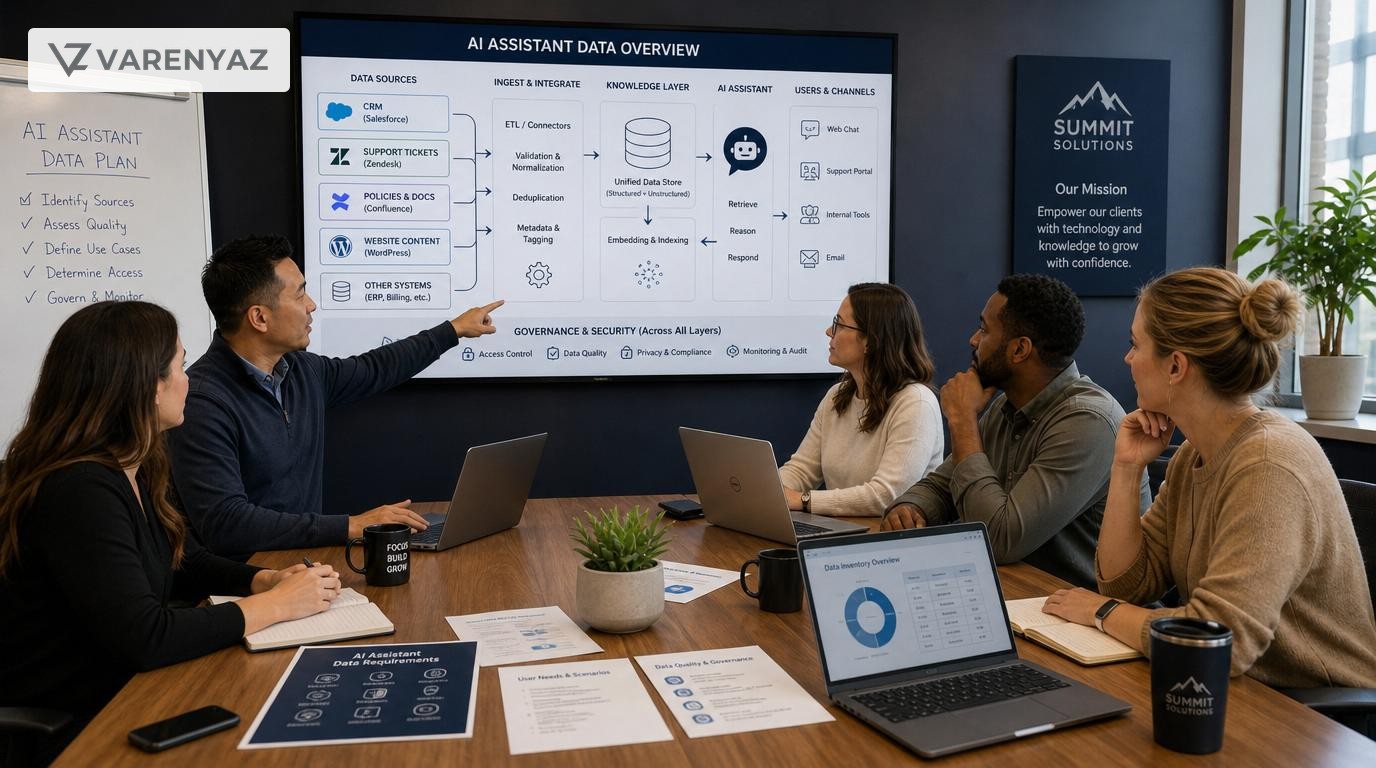
Guide details
- Type
- how to
- Cluster
- AI for small business
- Reviewed by
- VarenyaZ Editorial Desk
Direct answer
What you need to know
Before building an AI assistant in the United States, a business must inventory and prepare several core data categories: customer interaction data (emails, chats, call notes), product and service information, process and policy documents, knowledge-base content, CRM/ERP records, and analytics/feedback data. You also need basic data governance decisions: what is in scope, what includes personal or regulated data, quality and freshness of each source, access rules, and retention. Only after you know what data exists, where it lives, how clean it is, and what you are legally allowed to use, can you design a safe, effective AI assistant and select the right architecture and vendor.
Key takeaways
- Start with business goals and use cases, then decide which data is actually needed.
- Customer conversations, product content, and internal policies are usually the highest-value inputs.
- Data quality, structure, and access controls matter more than sheer data volume.
- Plan for US privacy, security, and sector-specific rules before training or connecting an AI assistant.
- Create a simple data inventory that lists sources, owners, sensitivity, and readiness.
- Begin with a narrow, well-governed data slice and expand as you prove value.
- Involve technical and legal experts once you move beyond simple FAQs or public content.
- Treat your AI assistant as an ongoing data and governance program, not a one-time build.
What You Are Really Trying to Achieve With an AI Assistant
Before asking what business data is needed before building an AI assistant in United States, you need to be clear on what the assistant is for. The data you prepare should be driven by business outcomes, not by a vague idea of "using AI."
Typical AI assistant goals for US businesses
Most small and mid-sized businesses in the United States are trying to do one or more of the following:
- Reduce support load: Answer repetitive customer questions, triage complex issues, and provide self-service support.
- Increase sales efficiency: Help sales teams quickly access product information, pricing, and relevant customer context.
- Improve internal productivity: Act as a “front door” to internal knowledge (policies, processes, templates, how-to guides).
- Standardize responses: Ensure that customers and employees receive consistent, policy-compliant information.
- Enable 24/7 service: Provide assistance outside business hours without scaling human staff proportionally.
Each of these goals implies a different set of data. A support assistant needs ticket history and knowledge articles. A sales assistant needs product catalogs and CRM details. An internal assistant needs your actual policies and documented processes.
If you skip this step and just “connect everything,” you increase risk, cost, and confusion—especially in a US context where you may be touching regulated or sensitive data.
Why Data Preparation Matters More Than the AI Model
Most modern AI assistants use large language models (LLMs) from major providers. These models are powerful by default. What differentiates a useful AI for business from a risky experiment is the quality, structure, and governance of the business data you plug into it.
Business reasons to prepare data properly
- Accuracy and trust: Poor or outdated data leads directly to wrong answers, damaged trust, and potential loss of customers.
- Risk management: In the US, mishandling personal, financial, or health-related data can create legal and regulatory exposure.
- Faster implementation: Clean, well-structured data makes it much easier and cheaper for technical teams or vendors to build your assistant.
- Measurable ROI: When your data maps cleanly to use cases (like ticket deflection or faster quote creation), it’s much easier to measure impact.
Key idea: Start by deciding which business decisions and workflows your AI assistant should improve. Then decide which data is essential for those workflows, and prepare that data well.
The Core Data Categories Most US Businesses Need
Although every company is different, most US small and mid-sized businesses planning an AI assistant will rely on some combination of the following data categories.
1. Customer interaction data
This is often the richest source of real-world questions and issues your assistant must handle.
- Support tickets and emails: From helpdesk tools, inboxes, or shared mailboxes.
- Chat logs: From live chat widgets, messaging apps, or chatbots already in use.
- Call notes and transcripts: Summaries from sales or support calls; if you use call recording and transcription, those transcripts are valuable but may be sensitive.
- Social media messages: Direct messages and public replies that capture frequently asked questions.
This data tells you:
- What customers actually ask.
- Where they are confused.
- Which answers your team currently gives.
For an AI assistant, you rarely need to expose all raw interaction logs. Instead, you use this data to identify common questions, create or refine knowledge articles, and test the assistant’s answers.
2. Product and service information
An assistant cannot give correct answers if it does not “know” what you sell and how it works.
- Product catalogs and service descriptions: Features, packages, SKUs, options.
- Pricing rules: Base prices, discounts, promotions, regional differences if applicable.
- Technical specifications: Compatibility, limits, performance characteristics.
- Implementation and onboarding guides: Step-by-step instructions your teams or customers use.
- Warranty, returns, and service terms: Conditions, limitations, timeframes.
For many AI for small business scenarios, this content already exists on your website, in sales decks, or in PDFs. The work is to gather it, remove stale versions, and structure it.
3. Policies, procedures, and internal guidelines
To keep responses compliant and consistent, your AI assistant needs access to the same rules your people use.
- Customer-facing policies: Shipping, returns, cancellations, support SLAs, acceptable use.
- Internal operating procedures: How your teams should handle escalations, refunds, exceptions.
- Legal and regulatory guidance: Any internal memos or summaries of how you interpret key regulations in your sector.
- Brand and communication guidelines: Tone of voice, style preferences, words to avoid.
For US businesses operating under specific regulations (for example HIPAA in healthcare, GLBA in financial services, or state-level privacy laws), this category is critical. Your assistant should echo your approved policies, not improvise.
4. Knowledge bases and documented know-how
Many businesses already have dispersed knowledge that can power an AI assistant:
- FAQ articles on your website or help center.
- Internal wikis (Confluence, Notion, SharePoint, Google Drive folders).
- Playbooks and runbooks used by operations, sales, or support.
- Training materials such as slide decks, recorded webinars, or written manuals.
These sources often need cleanup and consolidation, but they form the backbone of AI for business use cases that answer questions or help employees follow procedures.
5. Customer and account records (CRM, ERP, billing)
When you move from a generic Q&A bot to a personalized assistant, structured data from core systems becomes important:
- CRM data: Accounts, contacts, segments, stages, past interactions.
- Order and billing data: Purchase history, invoices, subscriptions.
- Support entitlements: Which customers get which level of support.
This data lets the assistant answer questions like:
- “What plan is this customer on?”
- “Is their subscription active?”
- “What did we last discuss with this prospect?”
Because this data usually contains personal information, you must consider US privacy expectations and any sector rules before letting an AI assistant read or act on it.
6. Analytics, feedback, and performance data
To improve and govern your AI assistant, you also need data about how your business currently performs and how customers react:
- Website and app analytics: What pages users visit, where they drop off, search terms used.
- CSAT, NPS, or survey results: Themes in customer satisfaction or complaints.
- Operational metrics: Average handle time, first contact resolution, time-to-quote.
This data is not usually fed directly to the model for answering questions, but it helps you prioritize which workflows and topics the assistant should tackle first and how to measure improvement.
US-Specific Data and Compliance Considerations
There is no single comprehensive federal AI law in the United States yet, but existing laws, regulations, and agency guidance still matter when you use data to power AI for business.
Understand your data from a risk perspective
Before selecting data for your assistant, classify it broadly:
- Public or marketing data: Intended for public consumption (website, blog posts, public FAQs). These are usually lowest risk.
- Internal business data: Policies, procedures, and internal notes. Still sensitive, but primarily an internal risk if exposed incorrectly.
- Personal data: Names, emails, addresses, phone numbers, identifiers, or data that can reasonably be linked to a person.
- Sensitive or regulated data: Health information, financial account details, children’s data, or data covered by sectoral laws like HIPAA or GLBA.
Public and some internal documents are usually good starting points. Personal or sensitive data needs careful handling, clear purpose, and often legal review.
Examples of relevant US guidance
- The U.S. Federal Trade Commission (FTC) has emphasized that companies using AI must ensure their data practices align with truth-in-advertising and data protection laws, and that they are responsible for avoiding unfair or deceptive practices when using algorithms.1
- The National Institute of Standards and Technology (NIST) provides an AI Risk Management Framework that encourages organizations to consider data quality, bias, and governance as part of broader AI risk management.2
- In sectors like healthcare, US Department of Health & Human Services guidance on HIPAA and cloud computing highlights the need for business associate agreements and appropriate safeguards when using third-party AI or cloud tools with protected health information.3
You do not need to become a legal expert, but you do need to know when your data might trigger these concerns.
Questions to ask before using data in an AI assistant
- Does this data include personal or sensitive information about customers, employees, or partners?
- Are there sector-specific regulations that apply to this data (health, finance, education, children)?
- Does our existing privacy policy and customer contract language allow this type of processing and use in AI?
- Will the AI assistant expose or act on this data directly, or only use anonymized trends and patterns?
- How will we audit and log what the assistant accesses and does with this data?
If you cannot answer these questions confidently, restrict your first AI assistant to public and low-risk internal content until you have proper guidance.
Step 1: Define Use Cases Before You Collect Data
The most common mistake in AI for small business is starting with “We want an AI assistant” instead of “We want to solve these specific problems.”
Pick 1–3 high-value use cases
For example:
- Customer support: “Deflect at least 20% of repetitive tickets by answering top 50 FAQ topics.”
- Sales enablement: “Help sales reps answer product questions in under 30 seconds using accurate, up-to-date information.”
- Internal knowledge assistant: “Give employees instant access to HR and IT policies, reducing basic policy questions by half.”
Once you know what you’re solving:
- List the questions users will ask.
- List the actions the assistant might need to perform (e.g., “create a support ticket,” “summarize last three interactions”).
This becomes your blueprint for which data is required versus “nice to have.”
Step 2: Inventory and Map Existing Data Sources
With use cases defined, create a lightweight data inventory. This does not need to be a complex data catalog—just a practical map.
Create a simple data inventory
For each relevant data source, document:
- Name of system or source (e.g., Zendesk, HubSpot, Google Drive, SharePoint, website CMS).
- Type of data (tickets, emails, policies, product specs).
- Owner (who is responsible for this data—support lead, marketing lead, HR lead).
- Location (URL, folder path, database, SaaS tool).
- Access level (who can access it today, and how).
- Sensitivity (public, internal, personal, regulated).
- Quality and freshness (roughly: high/medium/low; last major update).
Focus on the sources that clearly support your chosen use cases. Ignore or de-prioritize data that has no obvious link to the assistant’s role.
Identify gaps and duplicates
As you perform this inventory, you will often discover:
- Several versions of the same document.
- Multiple tools holding overlapping data.
- Entire process areas with no documentation at all.
Flag these issues. You do not need to fix everything upfront, but you must be aware of what the assistant might see and where confusion could arise.
Step 3: Decide What Data Is In Scope for Phase One
After inventory, you face a key decision: which data sources will your assistant rely on for its first release?
Prioritize by impact and risk
For each candidate source, ask:
- Does this data directly support a defined use case? If not, leave it out for now.
- What happens if the data is wrong or outdated? If the impact is high (e.g., wrong legal policy), prioritize cleanup before including it.
- Does this data include personal or regulated information? If yes, you may need to delay or partially mask it until governance is in place.
For many US businesses, a safe and powerful phase one scope looks like:
- Public website, product pages, and FAQ content.
- Cleaned and approved knowledge base articles.
- Non-sensitive internal policies and how-to documents.
This allows you to launch an assistant that is useful but low risk, while you prepare more sensitive data for later phases.
Make explicit “in” and “out” decisions
Document:
- In-scope data: Exactly which repositories, folders, collections, or tables the assistant can use.
- Out-of-scope data: Systems and documents that must not be accessed in phase one, along with a brief reason (e.g., “contains financial account information”).
This clarity keeps your technical team and vendors aligned and helps you explain the project to stakeholders, legal, or security reviewers.
Step 4: Prepare, Clean, and Structure the Data
Once you know which data will be in scope, you need to make it usable for an AI assistant.
Clean up critical content
Focus cleanup on high-impact content areas:
- Policies and terms: Ensure you only include the latest, approved versions and remove old drafts and conflicting documents.
- Top FAQs and product documentation: Merge duplicates, correct known errors, and update outdated screenshots or step-by-step instructions.
- Internal procedures: Make sure that at least the most common processes are up to date and reflect how work is actually done today.
You do not need to rewrite everything. Aim to remove obvious contradictions, stale versions, and major inaccuracies that would mislead the assistant.
Improve structure and findability
AI models can read unstructured text, but retrieval (finding the right piece of content to feed into the model) works better when your data is structured logically:
- Use clear titles and headings that reflect the question or topic (“How to reset your password,” “Refund policy for US customers”).
- Group related articles into collections (e.g., “Billing,” “Shipping,” “Account management”).
- Avoid giant documents that cover dozens of topics; break them into smaller, focused pieces.
- Add metadata or tags where your tools support it (e.g., “region: US,” “audience: customer,” “product: basic plan”).
These steps help any retrieval-augmented generation (RAG) system locate the best context for the assistant to use when generating answers.
Handle sensitive information deliberately
For data that includes personal or sensitive information, consider:
- Masking or removing specific fields that are not required for your use case (for example, keep plan type but drop full address in training corpora).
- Using row-level filters so the assistant only sees records needed to answer a question for an authenticated user.
- Limiting training data to de-identified or synthetic examples where feasible.
These design choices reduce the chance that the assistant will surface sensitive data improperly while still giving enough context to be helpful.
Step 5: Choose the Right Technical Approach for Your Data
Once your data is identified and prepared, you need a technical approach that respects your constraints and goals. You do not need every technical detail, but understanding the basic options helps you make better decisions and talk to vendors intelligently.
Retrieval-Augmented Generation (RAG) vs. fine-tuning
- Retrieval-Augmented Generation (RAG): The assistant searches your documents or databases in real time, retrieves relevant chunks, and feeds them to the AI model to generate an answer. Your original data stays separate.
- Fine-tuning: The AI model’s parameters are adjusted using your data, so it “bakes in” your knowledge to some extent.
For most US small and mid-sized businesses, RAG is usually the safer and more flexible starting point because:
- You can update content without retraining the model.
- You maintain clearer control over which data is used and how.
- You can more easily audit which documents supported a given answer.
Fine-tuning can be useful later for highly specific styles or specialized content, but it should not be your first step unless you have strong technical support and clearly scoped data.
Interaction with structured systems (CRM, ERP)
If you want your assistant to look up or change data in systems of record, consider:
- Read-only vs. read/write: Start with read-only access for safety; add write capabilities (like updating a contact or creating an order) after robust testing.
- API-based access: Use well-defined APIs with clear permissions, not direct database access, to control what the assistant can see and do.
- Audit logs: Ensure every action the assistant takes in a system can be traced back to a user and request.
These design choices directly affect which data can be accessed and how you govern it.
Step 6: Governance, Access Controls, and Monitoring
Preparing data is not only a technical job; it is also a governance decision. In the US context, regulators increasingly expect businesses to treat AI deployment as a risk-managed process, not a side experiment.
Define who can see what via the assistant
For each use case, specify:
- User groups (e.g., public website visitors, signed-in customers, internal employees, admins).
- Data visibility per group (which document sets, which CRM fields, which reports).
- Actions allowed (view-only, create tickets, update records, generate drafts).
Ideally, your AI assistant respects the same permission structure as your underlying systems. For example, an employee only sees internal documents they would be able to open directly.
Create simple policies for AI use
Even for small businesses, short internal policies are valuable:
- Approved use cases: What the assistant is for and not for.
- Data boundaries: Types of data that must not be fed into or retrieved by the assistant.
- Escalation process: What to do if the assistant gives a clearly wrong or harmful answer.
- Change management: Who approves changes to data scope or capabilities.
These policies make it easier to demonstrate responsible use if questions ever arise from customers, partners, or regulators.
Monitor performance and drift
After launch, you should collect:
- User feedback on answers (thumbs up/down, comments).
- Common failure modes (questions the assistant cannot answer, or answers that require correction).
- Usage metrics (deflected tickets, reduced handle time, search success).
This monitoring reveals which data needs improvement and where to expand or adjust your data scope.
Common Data Mistakes to Avoid
Several pitfalls repeatedly slow down or derail AI for business projects. You can avoid them with deliberate planning.
1. Trying to use “all data” from day one
Connecting every possible system and document:
- Increases risk, especially with personal and sensitive data.
- Creates inconsistent and conflicting information for the assistant.
- Makes debugging hard when something goes wrong.
Instead, start with the most relevant 10–20% of your data tied to one or two use cases.
2. Ignoring data quality
Many businesses assume the AI model will “fix” their messy content. It won’t. If your policies contradict each other or your pricing sheet is outdated, the assistant will reflect that.
Prioritize cleaning high-stakes content; accept some imperfection in lower-risk areas and improve over time.
3. Overlooking US privacy and sector regulations
Even without a single overarching AI law, regulators like the FTC have made clear that existing consumer protection and data security rules apply to AI. If your assistant mishandles consumer data or makes deceptive claims based on poor data, you may face scrutiny.1
For regulated sectors (healthcare, finance, education), it is especially important to understand which data you can feed to cloud-based or third-party AI tools and under what contractual and security safeguards.
4. Letting vendors decide data scope for you
AI vendors and platforms can recommend architectures, but they cannot define your risk tolerance, legal obligations, or business priorities.
Go into vendor discussions with at least a basic data inventory and a clear view of what is in scope and out of scope. This ensures the technical solution matches your business and compliance reality.
5. Forgetting about ongoing maintenance
Policies change, products evolve, and org structures shift. If you treat AI assistant data preparation as a one-time task, your assistant will quickly become outdated.
Assign owners for key content areas and schedule periodic reviews. Make content updates part of your regular operational cadence.
When to Bring in Technical and Legal Help
Not every AI project requires a full in-house AI team. However, there are clear signals that you should involve specialists.
Bring in technical experts when:
- You plan to integrate multiple systems (CRM, ERP, helpdesk, document storage) into one assistant.
- The assistant will be allowed to perform actions (create orders, change records, send messages) rather than just answer questions.
- You need to implement fine-grained access controls or support multiple roles with different permissions.
- You are unsure how to choose between RAG, fine-tuning, or proprietary vs. open models.
- You want to self-host or use private infrastructure for data sovereignty or security reasons.
Bring in legal, privacy, and security experts when:
- You operate in a regulated sector (healthcare, finance, education, insurance).
- You expect the assistant to access or process sensitive personal information.
- You are using third-party AI providers and need to review data processing terms, cross-border transfers, and security controls.
- Your assistant may influence consequential decisions about individuals (credit, employment, housing, benefits), which can trigger heightened regulatory expectations.
These experts can help translate US regulatory guidance and frameworks, such as the NIST AI Risk Management Framework, into practical controls for your data and systems.2
Practical Starting Scenarios for US Small Businesses
To make this concrete, here are three realistic starting scenarios and the data they require.
Scenario 1: Customer support FAQ assistant on your website
Goal: Deflect repetitive questions and provide 24/7 self-service.
Phase one data scope:
- Product and service descriptions from your website.
- Shipping, returns, and billing policies.
- Anonymized list of common questions from support tickets (to refine content, not necessarily to expose directly).
Why this works: Low privacy risk, quick to implement, and immediately valuable for customers.
Scenario 2: Internal policy and IT helpdesk assistant
Goal: Reduce HR and IT repetitive questions from employees.
Phase one data scope:
- Employee handbook and HR policy documents.
- IT support guides (how to reset password, VPN access, software requests).
- Company-wide announcements and internal communications relevant to processes.
Why this works: Internal focus with manageable privacy considerations; can be rolled out to a limited employee group first.
Scenario 3: Sales enablement assistant for a B2B team
Goal: Help sales reps respond faster and more accurately to customer questions.
Phase one data scope:
- Product sheets, competitive comparisons, and objection-handling guides.
- Pricing guidelines (not necessarily customer-specific pricing at the start).
- Approved email and proposal templates.
Why this works: Helps sales today without immediate integration into CRM data; you can layer in account-specific information once governance is in place.
Checklist: Are You Data-Ready for an AI Assistant in the US?
Use this quick checklist before you commit budget or sign with a vendor:
- You have 1–3 clear use cases with business outcomes defined.
- You created a basic data inventory for those use cases: systems, owners, sensitivity, and quality.
- You have decided which data is in scope for phase one and which is explicitly out.
- You have cleaned and structured the highest-impact documents (policies, pricing, top FAQs).
- You have thought through US privacy and sector-specific rules relevant to your data.
- You know when and why you will involve technical and legal experts.
- You have defined at least a minimal governance and monitoring plan.
If several of these boxes are unchecked, your next step is not “build the assistant”—it is “finish the data and governance groundwork.”
Next Steps: Turn Your Data into a Strategic Asset
An AI assistant is only as good as the business data behind it. In the United States, that means being deliberate about which data you use, how you prepare it, and how you respect privacy, security, and regulatory expectations.
To move forward:
- Clarify your top one or two AI assistant use cases and success metrics.
- Build a concise data inventory tied to those use cases.
- Decide on a low-risk, high-impact phase one data scope.
- Clean and structure your most important content for retrieval.
- Engage technical and legal experts once you touch sensitive or regulated data.
If you want help identifying the right data and designing a safe, ROI-focused AI assistant for your US business, contact the VarenyaZ team at https://varenyaz.com/contact/.
Practical checklist
- Written list of AI assistant use cases with owners and success metrics.
- Inventory of key data sources with their locations and data owners.
- Classification of sensitive data and any regulated categories used.
- Decision on which data is in scope for phase one.
- Cleanup and consolidation of the most important documents and records.
- Defined access control rules for users and systems.
- Documented approach for handling incorrect or harmful answers.
- Legal and security review completed for data usage and vendor contracts.
- Monitoring plan for data updates, assistant performance, and audit logs.
Frequently asked questions
What business data is essential before building an AI assistant in the United States?
At minimum, you need: customer interaction data (emails, chats, support tickets, call summaries), product and service documentation (descriptions, pricing rules, FAQs), internal policies and procedures, CRM data for context about customers, and analytics or feedback data to train the assistant on common questions and issues. This core set allows an AI assistant to answer questions accurately and perform basic workflows.
Do I need all of my company data ready before launching an AI assistant?
No. You should start with a focused set of data aligned to one or two high-value use cases, such as customer support FAQs or sales enablement. Trying to connect every system and document at once creates risk and delays. A narrow, well-governed scope lets you learn, improve, and expand the data set over time while controlling privacy, quality, and change management.
How do US privacy and data regulations affect what data I can use for an AI assistant?
In the United States, you must pay close attention to personal data, sensitive information, and any sector-specific rules (such as HIPAA for health data, GLBA for financial institutions, or COPPA for children’s data). Customer data should be handled under your privacy policy and contracts. You may need to limit what the assistant can access, remove certain data fields, or anonymize data depending on your industry and risk appetite. Legal counsel should review your plan when using regulated or sensitive data.
How clean must my data be before I use it with an AI assistant?
Your data does not need to be perfect, but it must be accurate enough that wrong or outdated information will not create material risk for your business. Prioritize cleaning high-impact data: pricing rules, policies, regulatory content, and anything the assistant will show to customers. You can tolerate more noise in internal notes or historical logs, but you should still document known issues and plan to improve them over time.
When should I bring in technical experts to help with AI assistant data preparation?
Bring in technical experts as soon as you plan to connect multiple systems, handle regulated or sensitive data, or allow the assistant to perform actions (such as creating orders or updating CRM records). Specialists can help design a secure architecture, implement access controls, choose between retrieval-augmented generation and fine-tuning, and set up monitoring. For simple assistants powered only by public or marketing content, you may be able to start with low-code tools and involve experts later.
Can small US businesses build an AI assistant with limited data?
Yes. Many small businesses can launch a useful assistant using only website content, FAQ pages, a basic knowledge base, and a small set of well-structured customer support logs. The key is to be intentional: define clear use cases, curate the most relevant documents, keep them updated, and avoid exposing sensitive customer data until you have proper governance and security in place.
Sources
- U.S. Federal Trade Commission – Using Artificial Intelligence and Algorithms
- U.S. National Institute of Standards and Technology (NIST) – AI Risk Management Framework
- U.S. Department of Health & Human Services – HIPAA and Cloud Computing
- Consumer Financial Protection Bureau – Consumer Data Protection and Privacy
Related terms
Related guides
VarenyaZ support
Need help turning this guide into a working product, website, or AI system?
VarenyaZ helps teams plan, design, build, automate, and improve web apps, mobile apps, AI workflows, and digital growth systems.
Talk to VarenyaZ