
How to Structure Service Pages for Search and Users
Learn how to structure modern service pages that rank in search, answer user intent, and convert qualified visitors into leads or customers.
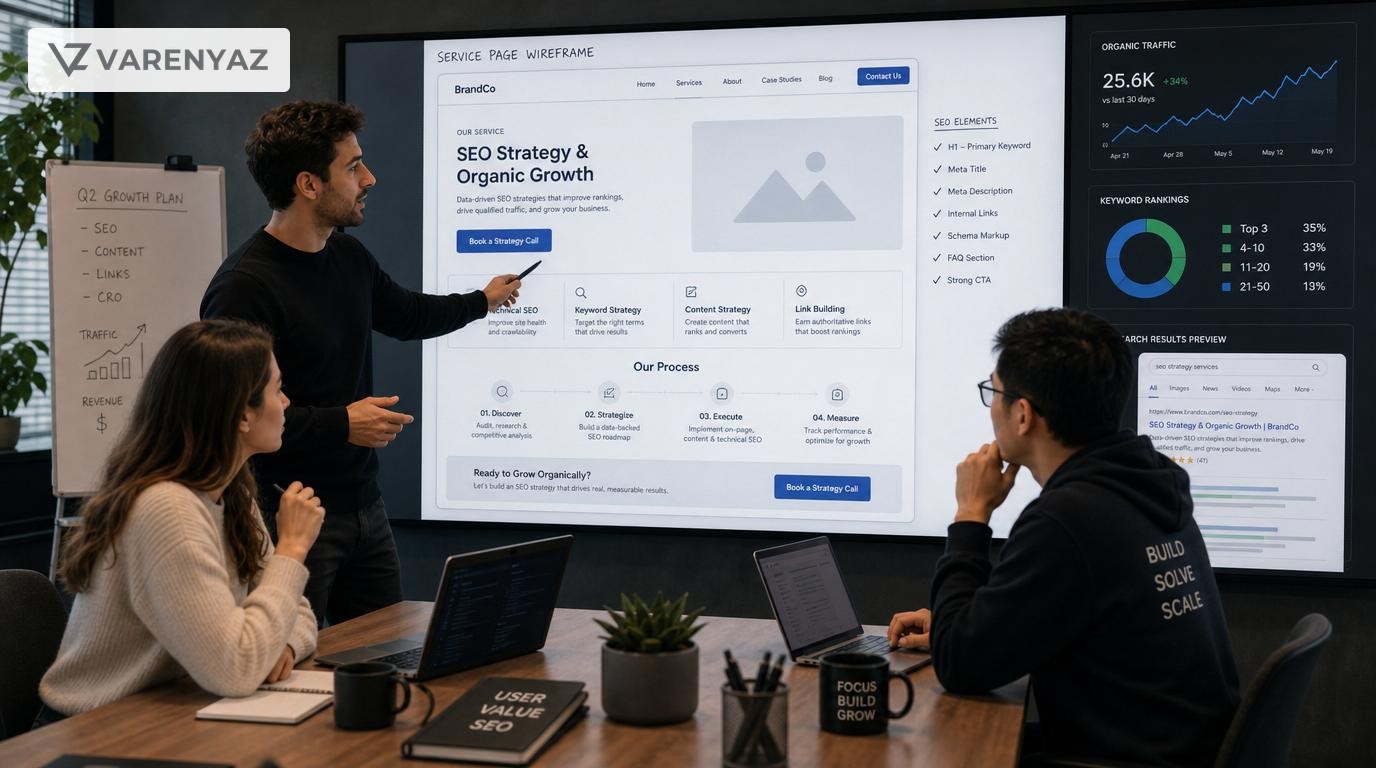
Guide details
- Type
- seo presence
- Cluster
- SEO presence
- Reviewed by
- VarenyaZ Editorial Desk
Direct answer
What you need to know
To structure service pages for modern businesses, define a clear primary intent for each page, map it to specific buyer questions, and create a scannable layout with a strong headline, value-focused intro, benefits, proof, pricing or packaging, detailed FAQs, and clear calls-to-action. Use descriptive headings, concise copy, internal links, and structured data so search engines understand the service while visitors can quickly decide if it fits their needs and next steps.
Key takeaways
- Each service page must target a single clear service and primary search intent.
- Above-the-fold content should confirm relevance fast and present a single main CTA.
- Use structured sections: overview, fit, benefits, process, proof, pricing, FAQs, and next steps.
- Headings and internal links help both search engines and users understand your offering.
- Service pages should answer real buyer questions, not just list features and buzzwords.
- Use schema markup, page speed, and mobile-first layouts to strengthen SEO presence.
- Avoid thin content, overlapping services, and generic copy across multiple locations.
- Bring in technical and UX help for complex funnels, multi-region sites, and high-value services.
What you are trying to achieve with modern service pages
For most modern businesses, service pages are where search visibility, positioning, and sales come together. A well-structured service page should:
- Attract qualified visitors from search and other channels.
- Help buyers quickly understand what you do and whether it fits their needs.
- Answer the questions that usually slow down deals or cause drop-off.
- Guide visitors to one clear next step: book, request, subscribe, or contact.
- Send strong, unambiguous signals to search engines about your expertise.
In other words, the goal is not simply to "rank" but to create service pages that behave like your best salesperson: they qualify, educate, and convert, while also improving your SEO presence across the whole site.
Why service page structure matters for search and users
How buyers actually use service pages
Busy buyers rarely read a service page top to bottom. Eye-tracking studies and UX research show that people scan pages in patterns, focusing on headings, lists, and visual anchors, and only read deeply when something looks relevant to a current problem or decision.
That means you cannot rely on long paragraphs or beautiful hero images alone. You need a structure that lets people:
- Confirm they are in the right place within a few seconds.
- Jump to the content that matches their current question or concern.
- Understand what makes your service different and credible.
- See a low-friction way to engage further.
How search engines interpret service pages
Search engines are trying to do something very similar. They need to understand:
- What specific service the page offers.
- Which user intents the content is likely to satisfy (research, comparison, purchase).
- How comprehensive and trustworthy the content is relative to alternatives.
- How this page fits into your broader website and expertise.
They use signals like headings, internal links, structured data, and user engagement metrics to decide when and where to show your page. A well-structured page is easier for algorithms to interpret and more likely to be rewarded for relevance and usefulness.
Business impact for modern organisations
For founders, CTOs, operations leaders, and marketing leaders, improving service page structure can:
- Increase qualified organic traffic to your most profitable services.
- Shorten sales cycles by pre-answering common questions and objections.
- Reduce support volume by setting clearer expectations.
- Provide a stable foundation for campaigns, outreach, and partnerships.
- Make future website updates more predictable and scalable.
Decide which services deserve focused pages
Before you design structure, you need clarity on what each page will focus on. Many sites underperform because service pages are either too broad or too fragmented.
Start with a service inventory
List every service or offering a customer can realistically buy or sign up for. Group them into logical categories, such as:
- Core services (e.g., "Managed IT Services", "Custom Software Development").
- Specialised services (e.g., "Cloud Migration", "API Integrations").
- Packages or tiers (e.g., "Growth Marketing Retainer", "Starter Support Plan").
- Region- or industry-specific variants (e.g., "HR Consulting for Healthcare").
Each meaningful service or package that a buyer views as a distinct decision should eventually map to its own page.
Map services to search and buyer intent
For each service, define:
- Primary search intent: is the main searcher trying to learn, compare, or buy?
- Primary buyer type: who typically leads the decision (founder, CTO, operations, marketing)?
- Buying stage: is this usually an early-stage exploration or a late-stage decision page?
This mapping influences structure and emphasis. A complex B2B consulting service page might need a heavy focus on process, risk reduction, and proof. A straightforward subscription service may emphasise pricing, features, and onboarding.
Prioritise pages that move the needle
You do not need to build perfect pages for every minor service in one go. Start with:
- Services that drive the highest revenue or margins.
- Services with clear search demand and weak current visibility.
- Services that create gateway relationships leading to larger projects.
Build a backlog and phase your improvements. This keeps the project aligned with commercial value.
A proven, reusable structure for modern service pages
While details vary by business, most effective service pages contain the same structural building blocks. You can treat this as a template for your site.
1. Above the fold: relevance, clarity, and one main CTA
This is the first screen a visitor sees, especially on mobile. Its job is to answer three questions in seconds:
- What is this? The specific service you provide.
- Is it for me? The type of company or role you serve.
- What should I do next? A clear, low-friction action.
Include:
- Service headline that uses plain language, e.g., "Managed Cybersecurity Services for Mid-Sized Manufacturers" rather than vague slogans.
- Short value statement of one to three sentences on the problem you solve and key outcome.
- Primary call-to-action such as "Book a 30-minute assessment" or "Get a tailored quote."
- One or two proof points like years in business, client count, certification, or a single outcome statistic you can substantiate.
Avoid rotating carousels, heavy video backgrounds, or long paragraphs in this area. Clarity beats decoration.
2. Problem and fit: who this service is for
After confirming relevance, buyers quickly ask: "Do they understand my situation?" Use a section that describes:
- The primary business problems or symptoms your service addresses.
- The types of organisations, industries, or roles that benefit most.
- Key constraints or thresholds (e.g., minimum team size, technical stack, geography).
This section can be framed as "Who this service is for" or "The challenges we solve." It doubles as a qualification tool, reducing unqualified leads and demonstrating that you know the buyer’s context.
3. Outcomes and benefits: what success looks like
Most service pages talk about features; modern buyers want outcomes. Use a dedicated section such as "What you can expect" or "Business outcomes" that spells out:
- Measurable or observable improvements (e.g., fewer incidents, faster delivery times, reduced churn).
- Strategic gains (e.g., greater agility, compliance confidence, ability to scale).
- Risk reduction angles (e.g., less dependency on key individuals, more predictable costs).
Bulleted lists work well here because they are easy to scan and can mirror question-style searches about benefits.
4. How it works: process, scope, and deliverables
This is often the most underdeveloped part of service pages and a key reason buyers hesitate. Even highly technical or senior decision-makers want to know what working with you looks like.
Break down your approach into a small number of steps, for example:
- Discovery or assessment.
- Planning or solution design.
- Implementation or rollout.
- Ongoing support, optimisation, or reporting.
For each step, briefly explain:
- What you do.
- What the client is expected to do.
- What tangible outputs or decisions result.
Include expected timelines where relevant (e.g., "Typical onboarding is 2–4 weeks"). This builds trust and defuses concerns about disruption or hidden complexity.
5. Proof: trust signals that match the service
Proof should be tightly connected to the service in question, not generic brand bragging. Strong proof options include:
- Short case studies or stories focused on similar clients and outcomes.
- Logos of relevant clients, categories, or partners.
- Certifications, frameworks, or tools that matter for this service.
- Selected testimonials that speak to fears or goals common to this service.
Think of this as answering: "Why should I believe you can deliver this service, to companies like mine, under constraints like mine?"
6. Pricing and packaging: clarity without overpromising
Many B2B teams hesitate to include pricing, but buyers increasingly expect at least a sense of commercial structure.
Depending on your model, you can:
- Show real prices or ranges when the scope is standardised.
- Explain pricing drivers (e.g., team size, complexity, integrations) and typical deal sizes.
- List pre-defined packages or tiers with clear value differences.
- Describe engagement models such as retainers, project-based, or usage-based billing.
The goal is not to lock in every nuance but to reduce ambiguity and filter out misaligned expectations earlier in the funnel.
7. FAQs: answer real questions and support search
FAQs serve both users and search engines. They let you address:
- Implementation concerns (timelines, resource requirements, compatibility).
- Risk questions (cancellation terms, data handling, support coverage).
- Scope limits (what is included, what is not, optional extras).
- Operational practicalities (time zones, languages, collaboration tools).
Base your FAQs on:
- Questions sales and support teams hear repeatedly.
- Objections that delay approvals.
- Search queries you see in analytics or keyword tools.
Well-structured FAQ sections can be enhanced with structured data, helping search engines understand and sometimes highlight your answers.
8. Next steps and alternative journeys
Not every visitor is ready to speak to sales. Plan for different buyer readiness levels by including:
- A primary CTA (e.g., "Book a consultation" or "Start trial").
- Secondary options such as "Download detailed overview", "See case studies", or "Share with your team".
- Logical internal links to related services, industry-specific pages, or resource hubs.
This section should make it easy for both humans and search engines to see how your services relate and what the buyer can do next if they are not yet ready to purchase.
Structuring service pages for different business contexts
For complex B2B services
In complex B2B environments (e.g., enterprise software, long-term consulting, managed services):
- Emphasise process detail and risk mitigation more heavily.
- Use industry- or role-specific examples (e.g., separate sections for Finance vs. IT benefits).
- Include governance, compliance, and security signals where they matter.
- Offer assets for internal champions, such as PDFs or explainer decks.
For productised or subscription services
For more standardised services (e.g., monthly marketing retainers, support packages, SaaS add-ons):
- Make pricing, tiers, and inclusions easily comparable.
- Highlight setup time, onboarding, and time-to-value.
- Use strong social proof such as volume-based or outcome-based messages.
- Consider frictionless CTAs like "Start now" alongside contact-focused options.
For local or regional service delivery
If your service is location-sensitive (e.g., logistics, field services, local consulting):
- Create service pages that clearly state the cities, regions, or countries served.
- Mention local regulations or practices you understand and support, where appropriate.
- Use region-specific proof (local clients, local case studies) for credibility.
- Ensure address and contact details are consistent with business profiles across platforms.
Only create separate localised service pages when you can make each one genuinely useful and distinct, not just a copy with city names swapped.
Key SEO elements of effective service pages
Once you have the right structure for humans, layer in focused SEO practices that reinforce clarity rather than cluttering the page.
Use descriptive, intent-aligned headings
Your heading structure (H1, H2, H3) should reflect how a buyer might break down the topic:
- H1: The core service and audience (e.g., "Data Analytics Consulting for Retail Brands").
- H2 sub-sections: "Who this service is for", "What you can expect", "How our process works", "Pricing and packages", "FAQs".
- H3s for detailed subtopics, such as specific phases, roles, or package names.
Good headings make it easier for search engines to understand the hierarchy and for readers to scan.
Connect services through internal linking
Internal links help search engines and users discover related services and understand your expertise map.
- From each service page, link to complementary or next-step services.
- From resource content (articles, guides), link back to the most relevant service page.
- Use anchor text that describes the service rather than generic phrases.
This creates a logical network where your key service pages act as hubs of authority.
Use structured data where it adds clarity
Structured data (schema markup) is a way of labelling what is on your page in a more explicit format for search engines. For service pages, consider:
- Service schema to describe the service type, area served, and provider.
- FAQ schema for question-and-answer content in your FAQ section.
- Local business schema on location-specific service pages.
While structured data does not guarantee special results, it can improve understanding, which supports visibility when combined with strong content.
Optimise for mobile and performance
Many service page visits come from mobile devices, especially from search and social channels. Ensure that:
- Key content and CTAs are clearly visible without excessive scrolling.
- Text is legible and not crammed into dense blocks.
- Images and media are compressed and do not slow key content from loading.
Search engines incorporate page experience and performance signals into ranking decisions, so a fast, responsive service page is both a UX and SEO asset.
Common mistakes to avoid with service page structure
Even mature organisations make structural mistakes that hurt both search visibility and conversions.
1. One generic page for everything you do
A single "Services" page that lists everything without depth is almost always a missed opportunity. It makes it difficult to:
- Rank for specific, high-intent queries.
- Showcase unique proof for each service.
- Guide different buyer types to the right information.
Use the overview page as a gateway, linking to well-structured, dedicated service pages.
2. Thin, overlapping, or duplicate service pages
On the opposite end, some sites create dozens of near-identical service pages with minimal content changes. This can:
- Confuse search engines about which page to rank.
- Spread performance metrics too thinly across the site.
- Make content maintenance much harder.
If two pages target essentially the same service and audience, consolidate them into one stronger, more comprehensive page.
3. Over-reliance on jargon and internal language
Users and search engines alike respond better to clear, buyer-centric language than to internal product names or acronyms. Make sure:
- Headlines and subheadings use market language buyers actually search for.
- Internal terminology is explained or minimised.
- Benefit statements avoid vague buzzwords in favour of specific outcomes.
4. Hiding critical information behind forms
If every meaningful detail about scope, process, or pricing is gated behind a form, buyers may simply leave and choose a competitor who is more transparent. Use forms for deeper assets or custom work, but ensure the core page still explains enough for someone to decide if a conversation is worthwhile.
5. Inconsistent CTAs and fragmented journeys
Multiple conflicting CTAs (e.g., "Book demo", "Download guide", "Start trial", "Join newsletter" all at equal weight) dilute focus. Decide the primary next action for a typical buyer of that service and design the page around it, with secondary options clearly secondary.
When to bring in technical and specialist help
Many structural improvements can be defined by business leaders, but some situations benefit from expert involvement.
Bring in UX or product design help when:
- You have complex, multi-step services that are hard to communicate clearly.
- Your audience includes very different roles with different information needs.
- Your analytics show high engagement with some sections but poor overall conversion.
A UX specialist can translate your service model into intuitive layouts, visuals, and interaction patterns that suit both desktop and mobile.
Bring in SEO and content strategy help when:
- You are operating in a crowded or highly competitive search landscape.
- You plan to scale service pages across multiple countries, languages, or verticals.
- You need to integrate structured data, internal linking, and content governance into existing systems.
An SEO and content strategy team can help you prioritise services based on opportunity, refine language to match real search behaviour, and design templates that scale.
Bring in engineering or platform help when:
- Your CMS or website platform limits how you can structure or mark up content.
- Performance issues (slow load times, layout shifts) are hurting user experience.
- You need automation for multi-region, multi-brand, or multi-lingual service libraries.
Engineering support is particularly important where service pages integrate with back-office systems, product catalogues, or custom quoting tools.
Practical implementation roadmap for decision-makers
If you are responsible for commercial outcomes rather than the day-to-day build, your main job is to set direction and guardrails. A practical roadmap could look like this:
1. Define your service page portfolio
Agree which services get priority pages in the next 3–6 months, based on revenue impact, strategic importance, and current visibility. Document each service with:
- A simple one-sentence description.
- Primary search and buyer intent.
- Key stakeholders (sales, delivery, product).
2. Lock in a standard page structure
Choose a common section structure that most service pages will follow (with room for variation):
- Hero (headline, value, CTA).
- Who it is for / problems solved.
- Outcomes and benefits.
- How it works / process.
- Proof (case studies, testimonials, logos).
- Pricing or engagement model.
- Service-specific FAQs.
- Next steps and related links.
This structure becomes a reusable template your teams can fill, adapt, and refine.
3. Assign ownership and inputs
For each priority service page, define:
- Content owner: often marketing or product marketing.
- Subject matter contributors: people from sales, delivery, or operations.
- Technical support: SEO, UX, and engineering contacts as needed.
Ensure stakeholders are aligned on what success looks like: more qualified leads, shorter sales cycles, higher deal values, or a mix.
4. Build, launch, and measure iteratively
Rather than waiting for perfection across all services, start with a small set:
- Implement the new structure for two to four high-impact services.
- Measure changes in traffic, engagement, and conversion quality.
- Collect feedback from sales teams on lead quality and buyer behaviour.
- Refine structure and language based on actual performance.
Then expand to additional services using what you have learned.
5. Establish review and update rhythms
Service pages are living assets, not set-and-forget brochures. Set an expectation that:
- Core service pages are reviewed at least quarterly.
- Messaging, proof, and FAQs are updated when offers or markets change.
- Analytics and sales feedback are used to prioritise improvements.
Document who triggers updates (e.g., when pricing changes, when a new service is launched, when a new market opens).
Next steps and how VarenyaZ can help
Structuring service pages for modern search and users is a strategic asset, not just a design decision. When done well, it creates alignment between marketing, sales, and delivery, and gives buyers a clear, confident path to working with you.
If you want support designing or upgrading your service page structure, from intent mapping to templates, governance, and technical SEO, you can talk to the VarenyaZ team here: https://varenyaz.com/contact/.
Strong service pages make your expertise easy to find, simple to understand, and straightforward to buy. That is the foundation of a durable SEO presence for any modern business.
Practical checklist
- Each service page targets one clear service and intent.
- Headlines state what the service is and who it is for.
- Above-the-fold section includes a primary CTA and proof point.
- Benefits and outcomes are clearer than features and jargon.
- Process or "how it works" section exists and is easy to skim.
- Social proof or case studies relate directly to the service.
- Pricing or engagement model is explained or expectations are set.
- FAQ addresses real pre-sales and implementation questions.
- Page uses descriptive headings (H2/H3) and internal links.
- Service and FAQ schema are implemented where appropriate.
- Page loads fast and works smoothly on mobile devices.
- Ownership and review cadence for the service page are defined.
Frequently asked questions
How many service pages should my business have?
Have one core page per distinct service or package that a customer can clearly buy or sign up for. If you serve different industries, regions, or buyer segments with meaningfully different needs, create tailored variations only when you can provide unique, valuable content for each. Avoid creating many near-duplicate pages just to target extra keywords, as this dilutes performance.
What should be above the fold on a service page?
Above the fold, you should confirm to visitors that they are in the right place and show them what to do next. Include a clear service headline, a short value-focused summary, 1–2 key proof points, and a primary call-to-action such as "Book a consultation" or "Get pricing." Avoid long paragraphs, carousels, or heavy visuals that delay comprehension or slow the page.
How detailed should my service page be for SEO?
A service page should be as detailed as necessary to answer buyer questions and reduce friction to conversion, but not padded with filler. Focus on depth, not length: explain who the service is for, what problems it solves, how it works, what outcomes to expect, proof you can deliver, pricing or packages where appropriate, and practical FAQs. This level of completeness helps both users and search engines understand your expertise and relevance.
Do I need FAQs on every service page?
FAQs are highly recommended because they mirror how people search and decide. They allow you to address objections, policies, timelines, and edge cases without cluttering the main narrative. FAQs can also align with common question-style searches and can be enhanced with structured data. Prioritize the 5–10 questions your sales or support teams answer most often for that specific service.
When should I use location-specific service pages?
Use location-specific service pages when buyers search with local intent and your offering or operations actually differ by region, city, or country. Each page should include unique information such as service regions, regulatory considerations, local case studies, and contact details. If the service is truly identical everywhere, focus on a strong global or national page and carefully decide whether local pages add real value or just complexity.
How often should I update my service pages?
Review key service pages at least quarterly, or whenever your offer, pricing, process, or positioning changes. Update messaging to reflect current capabilities, add fresh proof points and case studies, refine FAQs based on recent sales conversations, and improve internal links as your site grows. Consistent, focused updates are more valuable than large, infrequent overhauls.
Sources
Related terms
Related guides
VarenyaZ support
Need help turning this guide into a working product, website, or AI system?
VarenyaZ helps teams plan, design, build, automate, and improve web apps, mobile apps, AI workflows, and digital growth systems.
Talk to VarenyaZ