
Why Property CRM Integrations Matter in Manufacturing
Discover why property CRM integrations are critical for manufacturing companies to boost customer engagement, service quality, and lifetime value.

Quick Answer
Property CRM integrations connect customer records with detailed data about equipment, plants, and facilities. For manufacturers, this turns a generic CRM into an asset-centric engagement engine. It enables proactive service, contextual sales, and coordinated field operations. Implemented well, these integrations unify ERP, IoT, and service data around each installed asset. The payoff: higher uptime, better first-time-fix rates, more relevant offers, and stronger long-term relationships. This article explains the business case, integration patterns, governance, risks, and concrete steps to build a scalable property CRM stack aligned to manufacturing realities.
In this article
Coverage signals
14 min
May 13, 2026
VarenyaZ Editorial Desk, Technical Content Review
Updated May 13, 2026
Key Takeaways
- Property CRM integrations link customers to the specific assets, plants, and facilities they own or operate, creating an asset-centric view of engagement.
- For manufacturers, integrating CRM with ERP, field service, and IoT data reduces downtime, improves first-time-fix rates, and increases customer lifetime value.
- A clear data model for properties, assets, locations, and contracts is essential before connecting systems or layering on AI and analytics.
- Start with high-value, low-friction use cases such as service history visibility, installed base intelligence, and warranty automation.
- Governance, access control, and auditability are non‑negotiable because property data often exposes sensitive operational details.
- APIs, event-driven integration, and modern data platforms make it easier to keep CRM and operational systems in sync in near real-time.
- AI becomes far more effective when it can correlate CRM data with property, asset, and sensor telemetry for recommendations and predictions.
- A partner like VarenyaZ can orchestrate web, integration, and AI layers into a cohesive property-aware CRM experience.
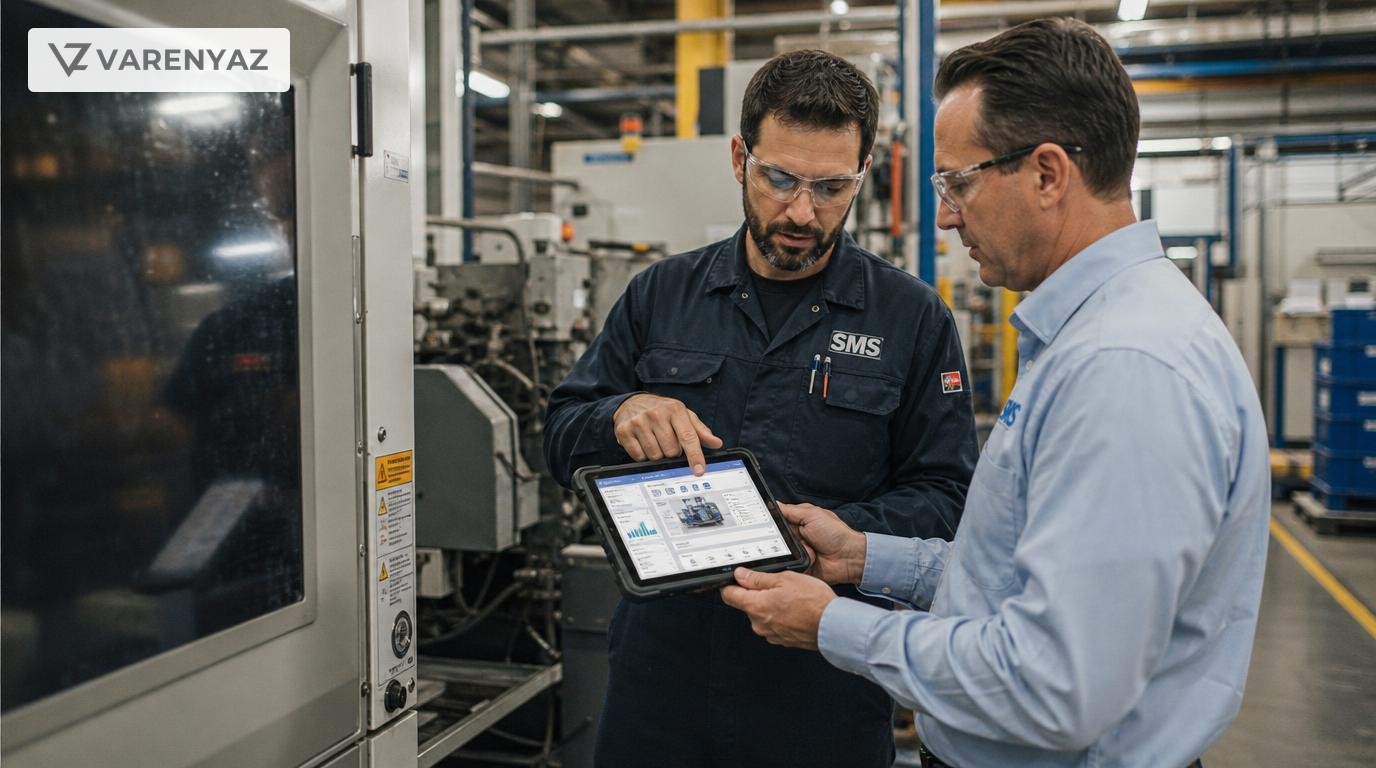
Why "Property" CRM Integrations Are Suddenly Critical in Manufacturing
Manufacturing customer engagement used to be straightforward: sell machines, ship spares, respond when something broke. Today, that model is painfully expensive and dangerously slow.
Customers expect manufacturers to know their sites, assets, and operating realities in detail. They want proactive service, predictable uptime, and tailored advice. That shift is driving a new kind of CRM strategy: property CRM integrations.
In this context, “property” doesn’t mean residential real estate. It means the physical properties you sell into, maintain, or operate with your customers: factories, plants, production lines, installed machines, building systems, and field assets.
Integrating that property and asset data into your CRM fundamentally changes how you engage customers. It moves you from generic account management to asset-centric, site-aware engagement.
Quick Answer: What Are Property CRM Integrations in Manufacturing?
Property CRM integrations connect your CRM to the systems that hold asset, equipment, and facility data—ERP, field service, CMMS, and IoT platforms—so every customer record is tied to the exact machines, plants, and properties they own or operate.
This lets manufacturers:
- See a single view of customers and their installed base.
- Trigger proactive, property-specific service and campaigns.
- Give sales, service, and operations shared context around each site.
- Use AI to predict failures, prioritize work, and suggest offers based on real asset conditions.
In short, property CRM integrations turn your CRM from a static contact database into a live control center for customer engagement across your physical footprint.
Why Traditional CRM Alone Isn’t Enough for Manufacturers
A standard CRM is designed around people and companies: contacts, opportunities, pipelines. That’s helpful, but for manufacturers it misses the heart of the relationship: the machines and plants you build, install, and maintain.
Without property-aware integrations, your teams are stuck with:
- Fragmented data: customer details in CRM, asset IDs in ERP, service history in a field tool, telemetry in an IoT platform.
- Slow, reactive responses: engineers and sales reps dig through multiple systems just to understand what sits at a customer site.
- No true “installed base” view: you can’t easily answer basic questions like “What assets, where, under which contracts?”
- Underused IoT data: rich sensor data never reaches the people who talk to customers.
The result: customers experience you as disjointed. Service teams arrive underprepared. Sales pitch the wrong upgrades. Leadership lacks visibility into asset-level profitability and risk.
Property CRM Integrations: A Simple Definition
A property CRM integration is the set of data models, APIs, and workflows that connect:
- CRM (accounts, contacts, opportunities, cases)
- Property and asset systems (ERP, CMMS, field service, IoT)
- Contracts and documents (warranties, SLAs, service agreements)
so that each customer record in your CRM is anchored to:
- Sites and facilities (properties)
- Lines and systems (sub-properties or locations)
- Assets and equipment (individual serialized units)
- Relevant contracts, SLAs, warranties, and service history
This isn’t just integration plumbing. When done well, it becomes the information backbone for how you engage customers across the entire lifecycle.
Why Property CRM Integrations Are Key to Customer Engagement
1. Moving from “Account-Centric” to “Asset-Centric” Engagement
In manufacturing, your real value is delivered through installed assets and properties. A purely account-centric CRM can’t express that nuance.
When you integrate property and asset data:
- Every call, email, and meeting is tied to specific assets at a specific site.
- Conversations shift from generic (“How are things going?”) to precise (“We see line 3’s chiller trending hot—let’s plan a service window next week.”).
- Marketing can run asset-based campaigns (“All customers with pumps older than 8 years in high-duty cycles”).
This asset-centric view is central to the shift many manufacturers are making toward service-led and outcome-based business models.1
2. Proactive, Property-Aware Service Instead of Firefighting
McKinsey has repeatedly highlighted aftersales and service as a major profit lever in manufacturing, especially when supported by digital and analytics.1 Property CRM integrations are what make that digital layer usable day-to-day.
With fully integrated property data, your teams can:
- Prioritize tickets by site and impact (safety critical, high-output lines, flagship customers).
- Trigger proactive outreach based on usage, age, and conditions from IoT feeds.
- Give field engineers a single view of service history, parts used, and open recommendations per asset.
- Measure first-time-fix rates and uptime at the asset and plant level—not just by contract.
That shift is immediate and visible for customers: fewer surprises, clearer recommendations, and faster resolution.
3. Enabling AI and Predictive Maintenance That Actually Changes Behavior
Plenty of manufacturers have IoT data streaming somewhere and a slide deck about predictive maintenance. Far fewer have connected that intelligence into customer-facing workflows.
Property CRM integrations make it possible to:
- Use AI models to predict failures and create prioritized cases directly in CRM.
- Have sales and service teams see AI recommendations alongside account and contract context.
- Drive data-backed conversations about upgrades, retrofits, and new service contracts.
For example, Microsoft’s connected field service approach couples IoT alerts with CRM and field service scheduling so technicians are dispatched before failures occur.4 The key enabler is integrated data between assets and customer records.
4. Better Cross-Functional Coordination Around Each Site
Customer engagement in manufacturing spans multiple functions:
- Sales and account management
- Field service and remote support
- Operations and logistics
- Product and engineering
- Finance and risk
When property and asset data lives in one or two operational systems, most of those teams never see it.
Once integrated into CRM:
- Sales can see upcoming maintenance and outages before planning reviews.
- Service knows which accounts are strategic and high-value.
- Operations can plan spares and capacity by installed base profile.
- Product learns where specific configurations are failing or overperforming.
That shared context is a powerful engagement tool. Customers feel like they’re dealing with one coordinated team, not separate silos.
5. Turning Installed Base Visibility Into Revenue
Deloitte’s research on digital supply networks shows that manufacturers with tight integration between commercial and operational data can uncover new revenue models—like performance-based contracts and bundled service offerings.2
Property CRM integrations support this by enabling:
- Accurate installed base analytics: how many assets, of which type, in which regions and segments.
- Lifecycle-based offers: upgrades when assets hit certain age or usage thresholds.
- Contract optimization: revising SLAs based on actual asset performance and downtime patterns.
- Targeted cross-sell: e.g., retrofitting connectivity kits or efficiency modules to specific legacy fleets.
When every engagement is grounded in concrete asset data, “upsell” stops feeling like a sales play and becomes a joint improvement plan for performance and risk.
The Core Data Model: Customers, Properties, and Assets
Before any integration work, you need a shared, property-aware data model. At minimum, your CRM and connected systems should agree on:
1. Customer and Account Hierarchies
Manufacturing relationships are rarely one-to-one. You may have:
- Global parent groups
- Regional business units
- Individual plants or operating companies >
Your CRM should clearly represent this hierarchy so you can attach properties and assets to the right level—and roll up visibility for strategic accounts.
2. Properties and Sites
“Property” in this context is any physical site or facility where your equipment runs:
- Factories and plants
- Warehouses and distribution centers
- Buildings and campuses
- Remote sites like pumping stations or wind farms
Each property record should capture at least:
- Physical address and geo-coordinates
- Owning or operating entity
- Site type and criticality
- Regulatory or safety considerations
3. Assets and Equipment
Assets are the individual machines, systems, or components that matter for engagement:
- Unique asset IDs and serial numbers
- Model, configuration, and options
- Installation and commissioning dates
- Operating environment (e.g., duty cycle, temperature)
- Connectivity status (IoT-enabled or not)
Consistency here is critical. Many manufacturers struggle because the same asset has different identifiers across ERP, CRM, and service tools. One of the first integration tasks is often to define and enforce a canonical asset ID.
4. Contracts, Warranties, and SLAs
Customer engagement around properties is heavily shaped by what you’ve promised. Your data model should link:
- Assets and properties to service contracts
- Warranties by asset or batch
- SLAs and response times by site or region
- Performance or uptime commitments
Integrating these with CRM enables contract-aware engagement: prioritizing response for critical SLAs, transparently negotiating renewals, and flagging non-compliance risks early.
Key Integration Patterns for Property-Aware CRM
1. CRM–ERP: Installed Base and Order History
The CRM–ERP integration is your foundation. It should provide:
- Installed base sync: assets, serial numbers, configurations, and linked properties.
- Order and invoice history: what was sold, when, and under which contracts.
- Return and warranty claims: structured history per asset.
This integration is where you often clean up asset IDs and standardize how properties and accounts are represented.
2. CRM–Field Service / CMMS: Work Orders and Service History
Field service or CMMS systems hold the real story of how assets perform over time. Integrating them with CRM allows:
- Work order visibility for sales and account teams.
- Service history summaries in CRM by asset, property, or account.
- Closed-loop feedback into product and engineering teams.
Leading service and asset management platforms already support these patterns, emphasizing the importance of unified service data.3
3. CRM–IoT Platforms: Telemetry and Alerts
IoT and telemetry systems capture high-frequency data but are rarely built for day-to-day engagement. Property CRM integrations bring that intelligence into reach by:
- Mapping IoT device IDs to asset records in CRM.
- Summarizing status (healthy, warning, critical) per asset or line.
- Generating CRM cases or tasks from telemetry-based rules.
Microsoft’s connected field service reference architecture is a widely cited example, where telemetry triggers alerts that flow into CRM and scheduling tools for action.4
4. CRM–Customer Portals: Shared Property View
Customer self-service portals are where your property CRM strategy becomes visible to clients. Integrated portals can offer:
- A catalog of assets and properties per customer.
- Live or near-real-time status dashboards.
- Self-service ticket creation directly against assets.
- Access to documents: manuals, safety docs, and contracts.
When customers can see what you see, conversations become more transparent and collaborative.
5. Integration Architecture: APIs, Events, and Data Hubs
Under the hood, most manufacturers converge on a mix of:
- API-based integrations for CRUD operations and reference data sync.
- Event-driven patterns (e.g., asset installed, alert raised, contract renewed).
- Data platforms or hubs to aggregate historical data for analytics and AI.
The architectural choices should reflect your latency needs. Service dispatch may need sub-minute updates, while contract analytics can tolerate daily batches.
Implementation Roadmap: From Vision to Working System
Step 1: Align on Business Outcomes
Technology follows strategy. Clarify what you want to improve:
- First-time-fix rate and uptime?
- Contract renewal and upsell rates?
- Margin on service and spares?
- Customer satisfaction at key sites?
Those targets will shape which integrations and use cases you prioritize first.
Step 2: Map Current Systems and Data Flows
Document how customer, property, and asset data moves today:
- Which systems “own” which data?
- What IDs and codes they use for assets and sites?
- How frequently data is updated?
- Where manual spreadsheets or shadow systems fill gaps?
This often uncovers duplicate asset lists, inconsistent site hierarchies, and fragile integrations that need attention.
Step 3: Design the Unified Data Model and Governance
Agree on the canonical definitions for:
- Accounts and legal entities
- Properties and sub-locations
- Assets and components
- Contracts and SLAs
Then, define governance:
- Who can create or update assets in CRM?
- How do you validate new properties?
- What happens when an asset moves sites or owners?
- How are obsolete assets handled?
Without these rules, property CRM integrations will quickly degrade into confusion.
Step 4: Prioritize a Small Set of High-Impact Use Cases
Start narrow and valuable. Examples:
- Show installed base and service history in CRM for top 50 accounts.
- Create automated warranty expiry alerts tied to specific assets.
- Enable sales to view open critical service tickets before customer reviews.
- Provide service with IoT health indicators inside the case view.
Each use case should have a clear owner, defined metrics, and feedback loop.
Step 5: Build Integrations Incrementally
Work in layers:
- CRM–ERP: get clean installed base and properties into CRM first.
- CRM–Field Service: add service history and work orders.
- CRM–IoT: integrate prioritized alerts and health summaries.
- Portals and apps: expose curated views to customers and field teams.
Use APIs and event buses where possible to avoid rigid point-to-point connections that are hard to evolve.
Step 6: Layer on Analytics and AI When Data Is Ready
Once your property CRM integrations are stable and data quality is acceptable, you can:
- Build dashboards for uptime, service cost, and asset profitability.
- Train predictive models for failure risk or contract churn.
- Offer natural-language search into property and asset data for your teams.
Crucially, integrate AI outputs back into CRM workflows—so recommendations appear where people make decisions, not in a separate analytics portal.
Risks, Tradeoffs, and How to Mitigate Them
Risk 1: Data Quality and Identity Chaos
Pain point: multiple asset IDs, inconsistent site names, and duplicate accounts undermine trust.
Mitigations:
- Implement a master data management approach for customers, properties, and assets, even if lightweight.
- Use validation rules and controlled vocabularies (e.g., site types, asset classes).
- Assign clear data ownership and regular data quality reviews.
Risk 2: Security and Overexposure of Operational Data
Pain point: property and asset data may include sensitive information about production, safety systems, or infrastructure.
Mitigations:
- Apply role-based access control in CRM and portals.
- Mask or aggregate sensitive telemetry for non-technical roles.
- Maintain audit logs for access and changes to critical records.
Risk 3: Integration Spaghetti
Pain point: point-to-point integrations become brittle as you add new tools and use cases.
Mitigations:
- Design around a central integration layer or iPaaS, not direct system-to-system links.
- Standardize on event schemas (e.g., asset-created, site-updated, alert-raised).
- Document integration contracts and monitor performance and failures.
Risk 4: Overbuilding Before Validating Value
Pain point: large-scale integration projects can stall or overspend before delivering visible benefits.
Mitigations:
- Deliver in small, value-focused increments with clear KPIs (uptime, NPS, response time).
- Involve end users early—field engineers, sales, and service coordinators.
- Be willing to simplify or drop integrations that don’t move key metrics.
How Different Teams Benefit Day-to-Day
For Sales and Account Management
With property-aware CRM, sales teams can:
- Walk into reviews with a plant-level view of uptime, incidents, and upgrades.
- Propose relevant retrofits based on the exact installed base.
- Coordinate planned shutdowns and upgrades with service teams.
This drives more strategic, long-term relationships instead of transactional quoting.
For Service and Field Engineers
Service teams gain:
- A single console for customer, asset, and case data.
- Accurate parts and documentation for each asset configuration.
- Visibility into business criticality of each property and line.
That translates into fewer repeat visits, better preparation, and more professional interactions.
For Operations and Supply Chain
Operations teams can forecast and plan around:
- Geographic and sector-specific installed base profiles.
- Parts demand based on historical and predictive service data.
- Contract exposure to high-risk assets or sites.
By connecting CRM to these signals, they can align stock and capacity with actual demand drivers.
For Product and Engineering
Property CRM integrations provide product teams with a view into:
- Where each configuration is deployed and how it performs.
- Clustered failures by environment, site type, or usage pattern.
- Real-world feedback loops back from sales and service.
That feedback enhances R&D priorities and helps design better next-generation products and services.
Regional Nuances: India, United States, United Kingdom
While the principles are global, property CRM integrations play out differently by region.
India
In India, manufacturers often serve a wide mix of greenfield and legacy plants, with varied levels of connectivity. Property CRM integrations help by:
- Bridging gaps between manual processes and digital systems.
- Supporting rapidly expanding installed bases in industrial clusters.
- Enabling tiered service offerings across metro and non-metro locations.
United States
In the U.S., the pressure comes from:
- Complex multi-site enterprises with strict safety and compliance demands.
- Strong expectations around service-level transparency.
- Growing servitization and as-a-service models.
Property CRM integrations are key to making outcome-based contracts workable and auditable at scale.
United Kingdom
In the U.K., manufacturers and OEMs frequently operate within tightly regulated, asset-intensive sectors like energy, infrastructure, and advanced manufacturing. Here, property-aware CRM supports:
- Regulatory reporting on critical assets across sites.
- Cross-border visibility for European and global accounts.
- Integration with partner and contractor networks for service delivery.
Practical Next Steps for Manufacturing Leaders
If you’re a founder, CTO, operations or marketing leader in manufacturing, consider this as a 90-day starting plan:
Within 30 Days
- Agree on a working definition of customers, properties, and assets in your context.
- Identify the three most painful engagement gaps that stem from disconnected data.
- Audit current systems of record and rough data quality around installed base.
Within 60 Days
- Design a minimum viable data model for properties and assets in CRM.
- Select 1–2 pilot accounts or regions to test integrated views.
- Implement a basic CRM–ERP installed base sync for those pilots.
Within 90 Days
- Add service history visibility into CRM for the pilot scope.
- Deploy simple workflows (e.g., warranty reminders, major outage alerts).
- Collect feedback from sales, service, and customers to refine the roadmap.
From there, you can expand feature by feature, site by site, and product line by product line—always anchored in measurable business outcomes.
Where VarenyaZ Fits In: Web, Integration, and AI as One Stack
Property CRM integrations sit at the intersection of web experiences, back-office systems, and AI. That’s where VarenyaZ specializes.
Our team works with manufacturers to:
- Design property- and asset-aware data models that align CRM, ERP, field service, and IoT platforms.
- Build API and event-driven integrations that keep customer and asset data in sync without brittle point-to-point spaghetti.
- Create customer portals and internal dashboards that expose the right property-level insights to customers, sales, and service teams.
- Layer in AI assistants and predictive models that operate on integrated property and engagement data, not isolated logs.
If you’re planning to modernize your customer engagement stack around installed base and properties, or you want to bring web, CRM, and AI together into a coherent experience, talk to VarenyaZ today at https://varenyaz.com/contact/.
Conclusion: Turning Properties and Assets into an Engagement Advantage
Manufacturing customer engagement is no longer just about who you know; it’s about what you run, where, and under which conditions. Property CRM integrations transform that operational reality into a strategic asset.
By connecting customers, properties, and assets inside CRM, you can move from reactive firefighting to proactive, data-driven partnerships. You’ll unlock better service, more relevant commercial conversations, and deeper trust across your portfolio.
VarenyaZ helps manufacturers design and build this stack end-to-end—combining web design for intuitive portals, web development and systems integration for robust data flows, and AI development to turn integrated property data into real-time insight. With the right foundation, your physical footprint becomes the strongest differentiator in how you engage and grow every customer relationship.
Editorial Perspective
Expert Review Notes
"For manufacturers, the real shift is moving from a ‘customer record’ mindset to an ‘installed base’ mindset, where every engagement is anchored in the assets you run and maintain for each account."
"Property-aware CRM doesn’t replace ERP or shop-floor systems; it orchestrates them, giving commercial, service, and leadership teams a common, real-time view of what’s happening at every customer site."
"AI in manufacturing becomes genuinely useful when it can see both people and properties—the customers you serve and the exact machines, plants, and facilities you’re responsible for."
Frequently Asked Questions
What is a property CRM integration in manufacturing?
In manufacturing, a property CRM integration connects your CRM platform to systems that hold property, asset, and facility data—such as ERP, CMMS, field service, and IoT platforms. It links each customer and account to the specific machines, lines, plants, or buildings they own, plus contracts, warranties, and service history around those assets.
How do property CRM integrations boost customer engagement for manufacturers?
They provide context. When sales, service, and operations teams see live asset status, installed base, maintenance history, and contractual obligations inside CRM, they can respond faster, communicate more clearly, and make highly relevant offers. This leads to higher uptime, better first-time-fix rates, more targeted campaigns, and stronger long-term relationships.
Which systems should we connect to our CRM for property-level insights?
Most manufacturers start with ERP for orders, invoices, and installed base; a field service or CMMS solution for work orders and maintenance history; and, where available, IoT or SCADA systems for real-time telemetry. Over time, they add contract management, document repositories, and customer portals to complete the view.
What are the biggest risks when integrating property data into CRM?
Common risks include inconsistent asset IDs across systems, poor data quality, overexposing sensitive operational data to roles that don’t need it, brittle point-to-point integrations, and unlocking AI or automation before data governance is in place. Addressing identity, access control, validation rules, and integration architecture up front mitigates most issues.
How can smaller manufacturers adopt property CRM integrations without huge budgets?
Smaller firms can begin with a clear asset data model, simple API-based sync between CRM and ERP, and a few core use cases like warranty tracking or service visibility for sales. Many modern CRMs and field service tools offer prebuilt connectors and low-code automation, reducing the need for custom development while still delivering significant value.
Where does AI add real value once property CRM integrations are in place?
AI becomes useful when it can correlate customer, asset, and telemetry data. It can prioritize service tickets based on business impact, recommend maintenance windows, flag contract risks, suggest cross-sell opportunities based on installed base, and power natural-language queries like “show high-risk compressors at our top 20 accounts.” The key is clean, integrated data rather than AI in isolation.
Selected References
Further Reading
Related perspectives
How AI Drives Revenue Growth in Transport & Logistics
AI solutions help transportation and logistics companies grow revenue by improving asset utilization, optimizing prices and routes, reducing delays, and enabling new digital services for shippers. This article explains the main AI use cases, how they translate into measurable revenue, and the data, technology, and change-management foundations required. It also covers risks like biased pricing, operational disruption, and integration complexity, and offers a practical roadmap to move from pilots to production. The article closes with how VarenyaZ supports web, product, and AI development for logistics players.
Predictive Analytics for Startup & SMB Growth
Predictive analytics helps startups and SMBs use historical and real-time data to forecast revenue, demand, churn, and risk, so they can act before problems and opportunities surface. This article explains business value, essential data foundations, model options, tooling choices, governance, and change management. It outlines a phased roadmap, from quick-win use cases to integrated AI workflows, and highlights key risks such as bias, overfitting, and poor data quality. You will also learn how to measure ROI and how a partner like VarenyaZ can help architect and implement predictive analytics solutions.
Route Optimization Algorithms in Modern Logistics
Route optimization algorithms calculate the most efficient routes for fleets under real-world constraints like time windows, capacity, and traffic. They build on models such as the Vehicle Routing Problem and are increasingly enhanced by AI for real-time and predictive decisions. For logistics leaders, they can reduce mileage, fuel use, and late deliveries while enabling new services like time-definite delivery. Success depends on data quality, clear constraints, integrations with TMS/telematics, and careful change management—often supported by expert web, platform, and AI development partners.