
Future-Proofing Manufacturing with UI/UX
Learn how UI/UX design best practices can future-proof manufacturing operations, reduce errors, and unlock digital transformation at scale.

Quick Answer
Future-proofing manufacturing now depends as much on UI/UX design as on machinery. UI UX design in manufacturing reduces errors, speeds training, and makes complex Industry 4.0 systems usable on the shop floor. By mapping critical workflows, simplifying interfaces, and designing data-rich dashboards for real operators, manufacturers can unlock value from MES, IoT, and AI. This article outlines best practices for industrial HMI, mobile apps, and AI copilots, the risks of poor UX, and a practical roadmap. It ends with how VarenyaZ can help design, build, and scale these experiences.
In this article
Coverage signals
14 min
Jul 19, 2026
VarenyaZ Editorial Desk, Technical Content Review
Updated Jul 19, 2026
Key Takeaways
- UI/UX design in manufacturing is now core infrastructure for safety, throughput, and digital transformation, not an optional cosmetic layer.
- Future-proof interfaces start with critical workflows, error scenarios, and edge cases on the shop floor, not with screen aesthetics.
- Consistent, role-based UI patterns across web, mobile, and HMI reduce cognitive load, training time, and operator mistakes.
- Good industrial UX makes complex data simple, visual, and actionable so that MES, IoT, and AI investments actually influence daily decisions.
- Accessibility, localization, and offline-first design are practical necessities for global plants, not nice-to-have checkboxes.
- Designing for AI and automation early lets you add copilots, anomaly detection, and predictive insights without rebuilding your UI later.
- A phased roadmap—from UX audit to pilots, standards, and continuous improvement—reduces risk and builds internal buy-in.
- Partnering with a specialist like VarenyaZ can align UI/UX, web platforms, and AI tools into one cohesive manufacturing experience.
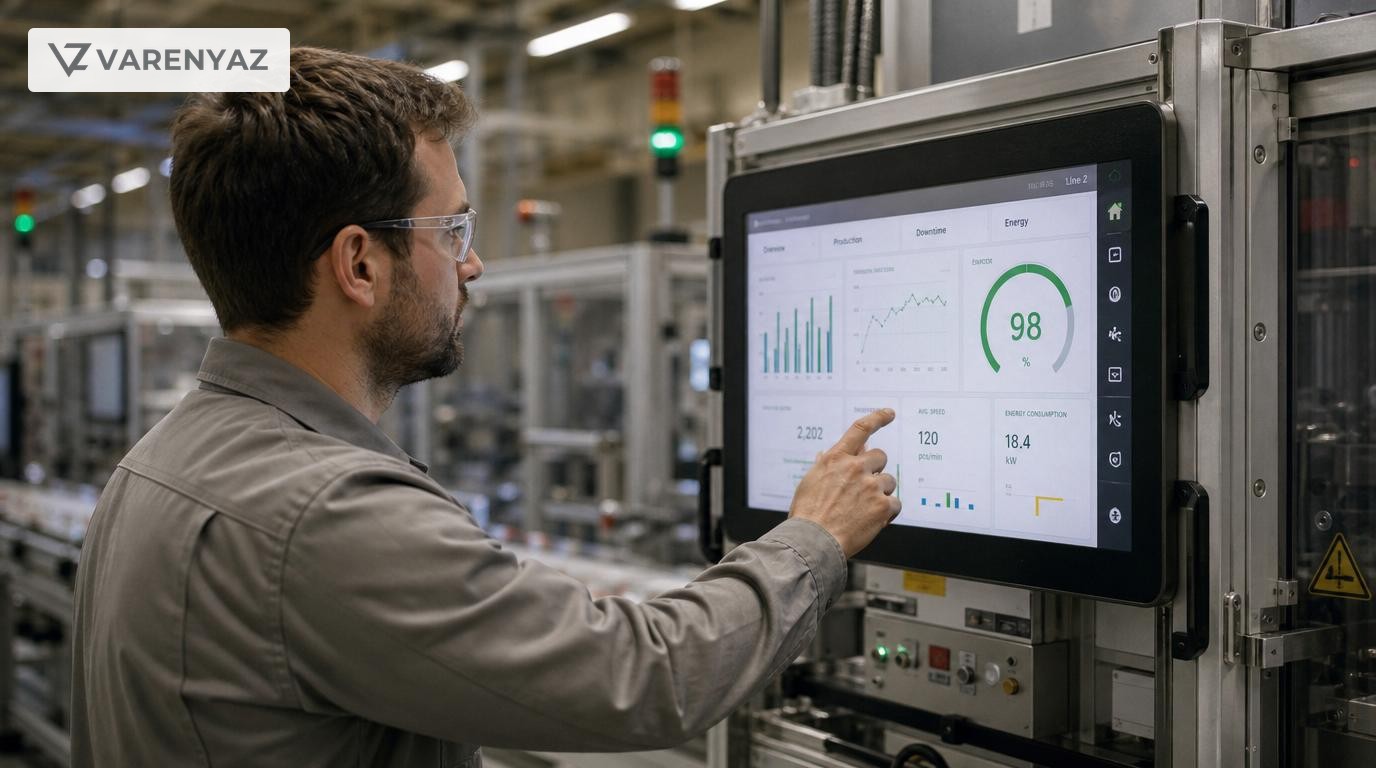
Why UI/UX Is Now Strategic Infrastructure in Manufacturing
If you run a manufacturing business, you already know how much you spend to keep machines, lines, and plants running. But there’s a quieter layer of infrastructure that quietly dictates how much value you actually extract from those investments: your user interfaces.
Every production order screen, every HMI, every maintenance app and dashboard is where humans, data, and machines meet. When those experiences are poorly designed, you see it as downtime, errors, low adoption of new tools, and missed opportunities to leverage AI.
UI/UX design in manufacturing isn’t about making screens “prettier.” It’s about making the work itself clearer, safer, and more predictable, while preparing your plants for Industry 4.0 and AI-driven decision-making.
This article walks through practical UI/UX best practices for manufacturing, why they matter at a business level, and how to implement them in a future-proof way across your plants and digital products.
Direct Answer: How Can UI/UX Design Future-Proof Manufacturing?
Future-proofing your manufacturing business with UI/UX design means making every digital touchpoint on the shop floor easier, safer, and faster to use—so people can trust and adopt new technologies as they arrive.
In practice, that looks like:
- Designing interfaces around real operator workflows, not IT assumptions.
- Standardizing patterns across HMI, web apps, and mobile devices.
- Visualizing data so issues, trends, and next steps are obvious at a glance.
- Building UI architectures that can plug in AI, new sensors, and new lines without starting from scratch.
- Measuring usability continuously and improving like you would any mission-critical system.
Do this well, and your MES, IoT, and AI projects stop being “projects” and start becoming everyday tools people actually rely on to make better decisions.
From Industry 4.0 Buzzwords to Practical Human-Centered Design
Most manufacturers now talk about Industry 4.0, cyber-physical systems, and smart factories. Standards bodies like NIST describe these as tightly integrated systems of sensors, networks, and software that help factories operate more intelligently and autonomously.[2]
Yet in plant after plant, the people who need to benefit from this intelligence—operators, technicians, supervisors—are stuck with cluttered screens, inconsistent menus, and dashboards that make sense only to the IT vendor that shipped them.
Bridging this gap requires a human-centered design approach, as formalized in standards such as ISO 9241-210, which emphasizes understanding users, contexts, and tasks at every stage of design.[1]
For manufacturing, this means:
- Researching how different roles actually use systems during a shift.
- Designing for noisy environments, gloves, and partial attention.
- Prioritizing error prevention, clear status, and fast recovery.
- Iterating interfaces based on real-world feedback from the line.
When you adopt these principles, your Industry 4.0 initiatives become easier to deploy, scale, and maintain, because they work the way your people actually work.
Business Value: Why Manufacturing Leaders Should Care
UI/UX can sound abstract until you connect it directly to the metrics that matter in manufacturing. Done well, it affects:
1. Throughput and OEE
Confusing interfaces slow down changeovers, machine setup, and exception handling. Clear interfaces that surface the right information at the right time help operators get to “steady state” faster and keep it there. That directly supports higher OEE and more predictable throughput.
2. Quality and Scrap
Many quality issues are rooted in mis-entered parameters, missed warnings, or misunderstood instructions. A well-designed screen:
- Prevents invalid entries with smart defaults and validation.
- Flags out-of-spec conditions clearly before bad parts accumulate.
- Explains corrective actions in simple, context-aware language.
That means fewer mistakes that cause scrap or rework.
3. Safety and Compliance
Human-machine interface standards such as ISA-101 emphasize clear status indication, alarm management, and operator situational awareness for good reason.[4] Thoughtful UI/UX supports:
- Rapid recognition of hazardous conditions.
- Fewer alarm floods that operators learn to ignore.
- Better digital record-keeping for audits and compliance.
4. Training and Workforce Flexibility
As experienced operators retire and plants struggle to recruit, the ability to train new hires quickly becomes a strategic advantage. Intuitive, consistent interfaces lower the cognitive load on new staff and make it easier to cross-train between lines and plants.
5. Digital and AI Adoption
Your data, MES, and AI investments only create value if people use them. When insights are buried in complex menus or delivered in a way that doesn’t match how decisions are made on the floor, adoption stalls. Strong UI/UX ensures that predictive maintenance alerts, quality analytics, and AI recommendations show up where people already work, in a form they can trust and act upon.
Map the Manufacturing Experience: Workflows Before Screens
Before opening any design tool, start by mapping real workflows. Future-proof manufacturing UI/UX is built around jobs-to-be-done, not a list of screens.
Identify Critical Journeys
Focus on the most impactful journeys, such as:
- Starting up and shutting down a line.
- Switching a machine to a new product or batch.
- Responding to alarms and unplanned downtime.
- Logging and investigating a quality issue.
- Performing preventive or corrective maintenance.
For each journey, capture:
- Who’s involved: Operator, technician, supervisor, engineer.
- Where they are: On the line, in a control room, on the move.
- Tools and systems: HMI, MES, mobile app, paper forms.
- Decisions: What must they decide, and how fast?
- Failure modes: What goes wrong today, and why?
Design for Roles, Contexts, and Constraints
Manufacturing roles have different mental models and constraints:
- Operators need fast, simple views focused on safety, status, and immediate tasks.
- Maintenance needs diagnostics, history, and guided steps.
- Supervisors need real-time overviews and drill-down into issues.
- Leadership needs trend dashboards that roll up performance and risk.
Future-proof UI/UX designs create role-based experiences that share a common language and visual system but present different depths and controls based on who’s logged in and what they’re doing.
Core UI/UX Best Practices for Manufacturing Environments
1. Prioritize Clarity Over Density
Many industrial screens evolved from adding fields over time. They become dense, text-heavy, and hard to scan. Instead:
- Use clear hierarchy: one main focus per screen, supporting details around it.
- Group related controls and information logically.
- Use whitespace and alignment to separate concepts.
- Replace long tables with summaries, highlights, and drill-down options.
In a noisy plant, a screen that can be understood in two seconds is far more valuable than one that tries to show everything at once.
2. Standardize Visual Language Across Systems
Consistency is a hidden superpower in manufacturing UI/UX. When every system uses different colors, icons, or naming conventions, operators must relearn each interface and will inevitably make mistakes.
Future-proof your ecosystem by defining a shared design system for:
- Colors and their meanings (e.g., alarm severity levels).
- Typography and text sizes for different devices.
- Icons for common actions and states.
- Standardized labels for machines, lines, and processes.
This should apply to HMIs, web portals, mobile apps, and large status displays alike.
3. Design for Gloved Hands and Harsh Environments
Unlike office software, factory UIs must be usable:
- With gloves or limited fine-motor control.
- In environments with vibration or movement.
- Under varied lighting—bright daylight, dim corners, or flashing beacons.
Practical design decisions include:
- Larger touch targets and generous spacing between controls.
- High-contrast color schemes that maintain readability.
- Minimal reliance on hover states or small toggles.
- Ensuring critical functions aren’t too close together (to avoid mis-taps).
4. Make Status and Alarms Instantly Understandable
Following guidance from standards such as ISA-101, treat status indication and alarms as a first-class UX problem, not an afterthought.[4]
- Use a small, consistent set of status colors with clear semantics.
- Differentiate between informational notices and true alarms.
- Include brief, human-readable descriptions and recommended actions.
- Offer ways to acknowledge, silence, or escalate alarms based on roles.
The goal is not more alarms; it’s more meaningful alarms.
5. Simplify Data-Rich Dashboards
Manufacturing generates vast amounts of data from sensors, MES, and ERP systems. Future-proof UI/UX doesn’t dump raw data on users—it distills it into insights.
For dashboards:
- Match metrics to decisions: Show only data that helps someone decide.
- Highlight exceptions and trends before they become problems.
- Use a mix of charts, sparklines, and status badges instead of large raw tables.
- Provide clear drill-down paths instead of forcing everything into one screen.
This is especially important as AI and predictive analytics become embedded in plant operations.
6. Plan for Multi-Device Experiences
Your ecosystem likely already involves:
- Fixed HMIs on machines.
- Desktop or web apps in control rooms.
- Mobile devices for supervisors and maintenance teams.
- Large wall displays for area or plant overviews.
Future-proof design means treating all of these as part of one coordinated experience:
- Define which tasks belong where (e.g., approvals on mobile, setup at the HMI).
- Synchronize terminology and visual patterns across devices.
- Ensure security and role-based access work consistently.
- Design for offline or low-connectivity scenarios, especially on mobile.
UX for Specific Manufacturing Interfaces
1. Human-Machine Interfaces (HMIs)
HMIs are where UI/UX decisions can have the most immediate operational impact. Applying principles from human-centered design and HMI standards:[1][4]
- Use overviews and drill-down: Start with a simplified plant or line overview, then allow users to drill down to specific machines.
- Surface context: When alarms trigger, show relevant trends, recent changes, and procedural guides on the same screen.
- Protect critical actions: Require confirmations for dangerous operations; avoid burying emergency actions in menus.
- Plan for upgrades: Design HMI layouts that can scale as new sensors, machines, or AI diagnostics are added.
2. MES, Production Planning, and Execution Apps
Production planners and supervisors often juggle complex scheduling, constraints, and tradeoffs. Here, good UX:
- Focuses on constraints and exceptions rather than static schedules.
- Visualizes capacity, bottlenecks, and impact of changes in real time.
- Aligns language and workflows with your specific manufacturing context (e.g., batch vs. discrete).
- Enables collaboration—comments, assignments, and annotations directly attached to orders or issues.
3. Maintenance and Asset Management
For maintenance teams, future-proof interfaces:
- Integrate predictive maintenance alerts with work orders and parts availability.
- Provide mobile-friendly views for checklists, diagrams, and histories near the asset.
- Support media capture: photos, videos, and notes to document issues and fixes.
- Let technicians search and filter by symptoms, not just asset IDs.
As AI-driven predictive maintenance matures, UX will increasingly focus on why an issue is likely and how confident the system is, not just that an issue exists.
4. Quality, Traceability, and Compliance Interfaces
Quality and compliance UIs often feel like they’re designed for auditors, not the people who use them daily. Future-proof design:
- Guides users through inspections and checks in logical sequences.
- Offers clear cues when extra documentation or photos are needed.
- Makes product genealogy and batch history visual and explorable.
- Automates as much data capture as possible to reduce manual entry.
Designing for AI and Automation from the Start
As cyber-physical systems and AI become the norm, your UI/UX layer must be ready to host new forms of intelligence without overwhelming users.[2][3]
AI as Copilot, Not Overlord
AI should augment human judgment, not replace it. That means interfaces that:
- Show AI recommendations alongside traditional metrics, not in isolation.
- Explain why a recommendation is being made (data sources, patterns detected).
- Allow operators to accept, modify, or reject recommendations easily.
- Capture feedback to improve AI models over time.
Conversational and Natural-Language Interfaces
AI also enables natural-language search and assistance, for example:
- “What was the OEE on Line 3 last week compared to last month?”
- “Show me all downtimes related to sensor failures on this machine.”
- “Generate a maintenance task list for upcoming long weekend shutdowns.”
Future-proof UI architectures expose key functions and data through APIs so AI agents and chat-style interfaces can interact with them securely and reliably.
Decision Support, Not Decision Fatigue
AI can easily flood users with alerts. Good UI/UX:
- Aggregates related alerts into single, manageable stories.
- Groups recommendations by priority and impact.
- Offers simulation views: “If we follow this suggestion, here’s the likely impact.”
- Gives clear ownership: who should act, by when, and how.
Accessibility, Localization, and Workforce Diversity
Global manufacturers operate across languages, cultures, and demographics. Future-proof UI/UX accounts for this from day one.
Accessibility and Ergonomics
Accessible interfaces aren’t just a legal checkbox—they’re a practical advantage when you need to deploy systems across diverse teams. Consider:
- Text size and contrast that remain readable in all conditions.
- Color choices that don’t rely solely on hue (supporting color-blind users).
- Layouts that minimize unnecessary motion or visual clutter.
- Support for keyboard shortcuts or hardware buttons where relevant.
Localization and Cultural Fit
Manufacturing UIs often cross borders. To support teams in India, the United States, the United Kingdom, and beyond, your design should:
- Support multiple languages and region-specific formats (time, units, currency).
- Avoid idioms or jargon that may not translate well.
- Allow for right-to-left or other locale-specific patterns if required.
- Provide centralized management of translations and terminology.
Risks and Tradeoffs in Manufacturing UI/UX Initiatives
Like any transformation, improving UI/UX across plants involves tradeoffs.
Risk: Disruption to Existing Operations
Redesigning interfaces can disrupt familiar workflows. Mitigate this by:
- Co-designing changes with frontline operators and supervisors.
- Piloting on a single line or plant before wider rollout.
- Offering side-by-side modes or phased transitions where possible.
Risk: Over-Customization
Highly tailored UIs can be powerful but hard to maintain over time. To avoid getting locked into brittle solutions:
- Adopt modular design systems and component libraries.
- Keep core layout patterns consistent and configurable, not fully bespoke.
- Document design rationales and keep them tied to standards like ISO 9241-210.
Risk: Underestimating Governance
If every team or vendor designs their own UI, you wind up with a patchwork. Establish governance through:
- A central UI/UX strategy and design standards.
- Shared design libraries and patterns that vendors must follow.
- Joint review processes for any new interface that touches the plant.
Tradeoff: Speed vs. Quality
There will always be pressure to “ship fast” when launching new lines or tools. The future-proof approach:
- Starts with a simplified, high-quality minimum viable interface.
- Layers complexity only where it’s justified by real workflows.
- Builds in instrumentation so you can see what works and iterate quickly.
A Practical Roadmap for Future-Proof Manufacturing UI/UX
You don’t need to redesign every screen at once. A phased approach lets you manage risk and prove value.
Step 1: Assess and Audit
- Inventory all major interfaces across HMIs, MES, web, and mobile.
- Identify the highest-impact workflows and problem areas.
- Collect baseline metrics: task time, error rates, training time, and user satisfaction.
Step 2: Define Standards and Vision
- Agree on design principles (simplicity, safety, clarity, human-centeredness).
- Create a first version of your design system—colors, typography, components, and patterns.
- Align stakeholders around how UI/UX supports your Industry 4.0 and AI strategy.
Step 3: Run Focused Pilots
- Pick 1–2 critical workflows (e.g., line startup, downtime response) in one plant.
- Design improved interfaces with heavy input from real users.
- Measure outcomes: faster response, fewer errors, higher satisfaction.
Step 4: Scale Through Design Systems
- Refine your design system based on pilot learnings.
- Roll out patterns to other lines, plants, and products.
- Onboard vendors and partners to your standards.
Step 5: Embed Continuous Improvement
- Instrument key screens to track usage patterns and friction points.
- Establish regular UX reviews, like you would maintenance reviews.
- Plan periodic updates in sync with your digital and AI roadmap.
How VarenyaZ Can Help You Future-Proof Manufacturing Experiences
Most manufacturing organizations don’t have the time or internal expertise to redesign every interface, build modern web and mobile layers, and integrate AI into the mix. That’s where a focused partner helps.
UI/UX for Complex Manufacturing Systems
VarenyaZ works with manufacturers and industrial technology providers to:
- Conduct UX research on shop floors and in control rooms.
- Map critical workflows and error scenarios across roles and plants.
- Design HMI, MES, and dashboard interfaces that match real contexts of use.
- Create scalable design systems that vendors and internal teams can share.
Web and Application Development for Plants and Partners
Great design needs solid engineering to make it reliable in production. VarenyaZ’s web and application development teams can:
- Build responsive portals for production visibility, quality, and maintenance.
- Develop mobile apps for supervisors, technicians, and field teams.
- Integrate with your MES, ERP, and IoT platforms via secure APIs.
- Implement role-based access, audit trails, and performance monitoring.
AI-Enabled Interfaces and Decision Support
VarenyaZ also specializes in bringing AI into usable, trustworthy interfaces by:
- Embedding conversational assistants into dashboards and portals.
- Designing prediction and anomaly views that operators can understand and act on.
- Connecting AI models to real-time production data and existing systems.
- Ensuring that AI output is presented with context, rationale, and safe defaults.
If you’re ready to turn your manufacturing interfaces into a competitive advantage rather than a constraint, start a conversation with the VarenyaZ team today at https://varenyaz.com/contact/.
Conclusion: UI/UX as a Long-Term Asset for Manufacturing
Factories will keep evolving. New machines will arrive, new data will stream in, and AI will play a bigger role on every line. The manufacturers that win will be the ones whose people can understand, trust, and act on that complexity quickly and safely.
Future-proofing your business with UI/UX design in manufacturing is about building that capability into your infrastructure: interfaces that reflect how work really happens, systems that scale across plants and regions, and digital experiences that welcome AI rather than being broken by it.
VarenyaZ can partner with you across this journey—researching and redesigning your plant UIs, developing robust web and mobile applications, and integrating AI-driven decision support into experiences your teams actually love to use.
Editorial Perspective
Expert Review Notes
"In modern plants, the real bottleneck often isn’t the machine—it’s the interface that connects people, data, and decisions. UI/UX is where that friction either disappears or becomes painfully visible."
"Treat your manufacturing interfaces as a long-term product, not a one-off project. The companies that win revisit UX continuously, just like they maintain their equipment."
"AI will not replace human operators any time soon, but operators who have clear, AI-augmented interfaces will absolutely outperform those who don’t."
Frequently Asked Questions
Why does UI/UX design matter so much in manufacturing environments?
In manufacturing, every extra click or confusing alert translates into wasted time, higher scrap rates, or safety risks. UI/UX design aligns interfaces with how operators, engineers, and supervisors really work, so they can understand machine states quickly, act on data, and avoid mistakes. That makes your MES, IoT, and automation investments more effective and future-ready.
How is UI/UX design in manufacturing different from consumer app design?
Manufacturing interfaces must perform in noisy, sometimes harsh environments, with gloves, limited attention, and high safety stakes. The UX focus shifts from delight and engagement to clarity, speed, error prevention, and resilience. It also spans multiple surfaces—HMI panels, mobile devices, large displays—and must handle alarms, downtime, and complex workflows consistently.
What are some quick wins to improve manufacturing UI/UX?
Quick wins include simplifying navigation around the top 3–5 critical workflows, clarifying alerts with color and text, cleaning up cluttered dashboards, standardizing labels across systems, and introducing role-based views. Even modest changes, like larger tap targets for gloved hands and clearer status indicators, can cut errors and support faster training.
How can we make our MES and industrial dashboards more usable?
Start by mapping who uses each dashboard, in which context, and for which decisions. Reduce noise by removing low-value metrics, group related information, and highlight exceptions, trends, and next actions instead of raw data. Use visual cues such as sparklines, color bands, and simple icons, and ensure the same visual language is used across all dashboards and devices.
Where does AI fit into UI/UX design for manufacturing systems?
AI amplifies the value of good UI/UX by surfacing predictions, recommendations, and anomalies at the right moment. In practice, this can look like AI copilots inside operator dashboards, natural-language search over production data, or predictive maintenance alerts embedded in existing HMI screens. Designing the interface with AI in mind from the start prevents fragmented, bolt-on experiences later.
How can a partner like VarenyaZ help modernize our manufacturing interfaces?
VarenyaZ combines UX research, interface design, web development, and AI engineering to modernize manufacturing experiences end-to-end. The team can audit current HMIs and dashboards, design future-proof UI patterns, build responsive web portals and mobile apps, integrate with MES/ERP and IoT platforms, and layer in AI assistants for operators, engineers, and leaders.
Selected References
Further Reading
Related perspectives
Predictive Analytics for Real Estate Efficiency
Predictive analytics in real estate uses historical and real-time data to forecast demand, pricing, maintenance issues, and operational risks so teams can act before problems arise. It increases operational efficiency by reducing downtime, optimizing occupancy and rental yields, and targeting capital where it matters most. This article outlines core use cases, data and technology requirements, implementation steps, governance and risk considerations, and how leaders can practically start with pilots and scale to portfolio-wide predictive capabilities, often with support from specialized web, data, and AI partners like VarenyaZ.
Legacy Modernization for Real Estate Growth
Legacy modernization in real estate means upgrading core property, leasing, and finance systems so they can support today’s digital, data-driven operations. It involves replacing or refactoring old software, consolidating data, and building a modern, API-first architecture. Done well, it improves decision-making, reduces manual work, and enables AI-driven use cases like dynamic pricing or predictive maintenance. This guide explains the business case, modernization options, risk controls, and practical steps real estate leaders can follow, and how a partner like VarenyaZ helps design and implement modern web, data, and AI solutions.
Future-Proofing Education with Predictive Analytics
Predictive analytics in education uses historical and real-time data to forecast learner outcomes, enrollment shifts, and operational needs so organizations can act early instead of reacting late. For business and product leaders, it unlocks targeted interventions, adaptive learning, smarter resource allocation, and more resilient revenue models. This article explains core use cases, required data foundations, technical architecture, governance, and ethical risks. It outlines build-versus-buy decisions and a phased roadmap so EdTech firms, universities, and training providers can implement predictive systems that actually ship, scale, and demonstrably improve student success.